
Home›CampusOS vs Excel
CampusOS vs ExcelYour Excel sheets got you this far. Here is what they cannot do.
Excel is free and everyone knows it, so most institutions start there. The trouble starts when the fee sheet, the attendance sheet and the result sheet live in different files on different computers. CampusOS keeps them as one record that the office, teachers, students and parents each see from their own login.
Where Excel starts to hurt
Many copies, no single truth
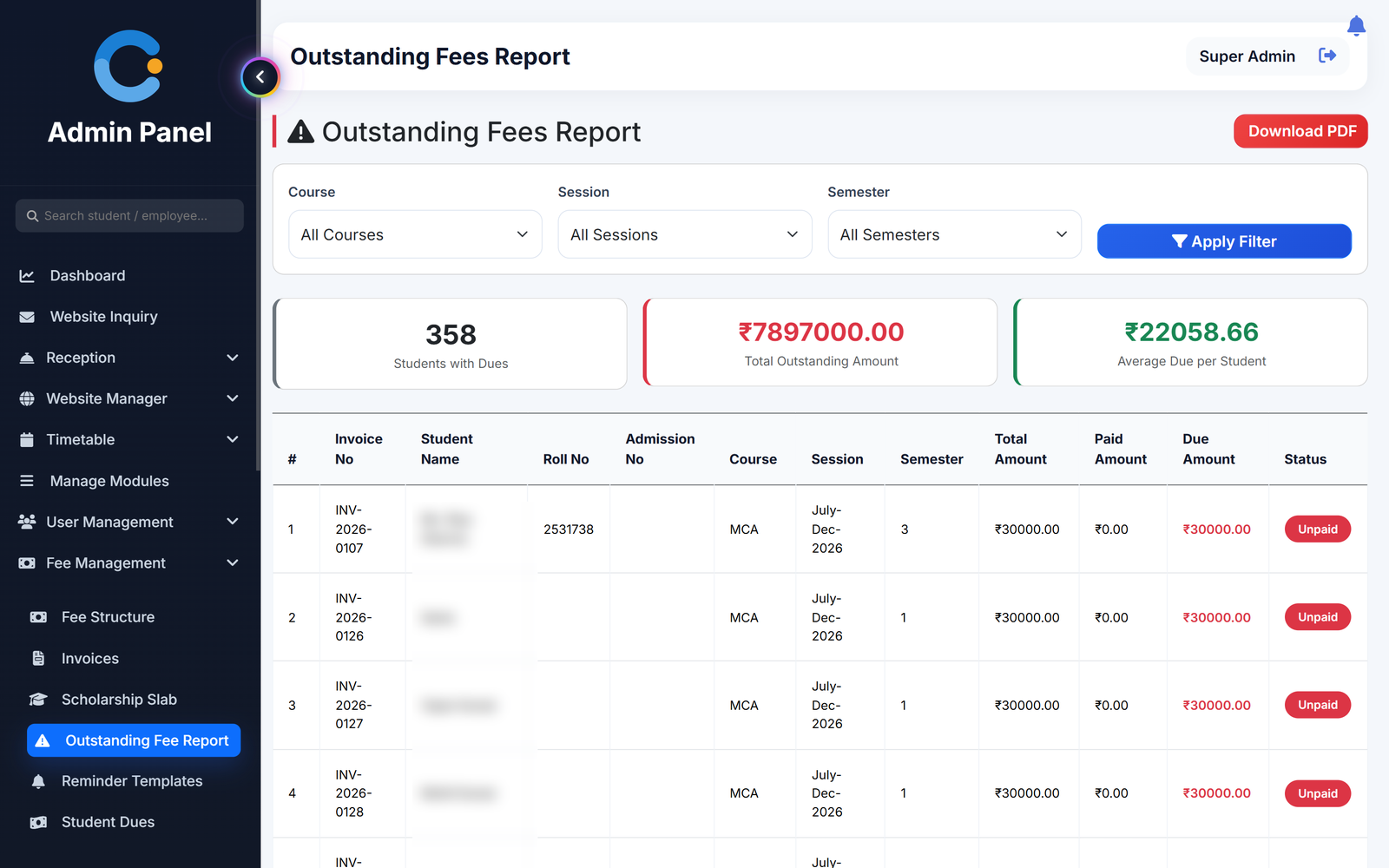
The accounts sheet, the class teacher's sheet and the principal's copy drift apart. In CampusOS there is one record and everyone reads the same numbers.
Fee dues that need a formula
In a sheet, outstanding fees are a SUM someone has to update. In CampusOS every payment is recorded against an invoice with a receipt number, and the dues list is always current.
Attendance typed in after class
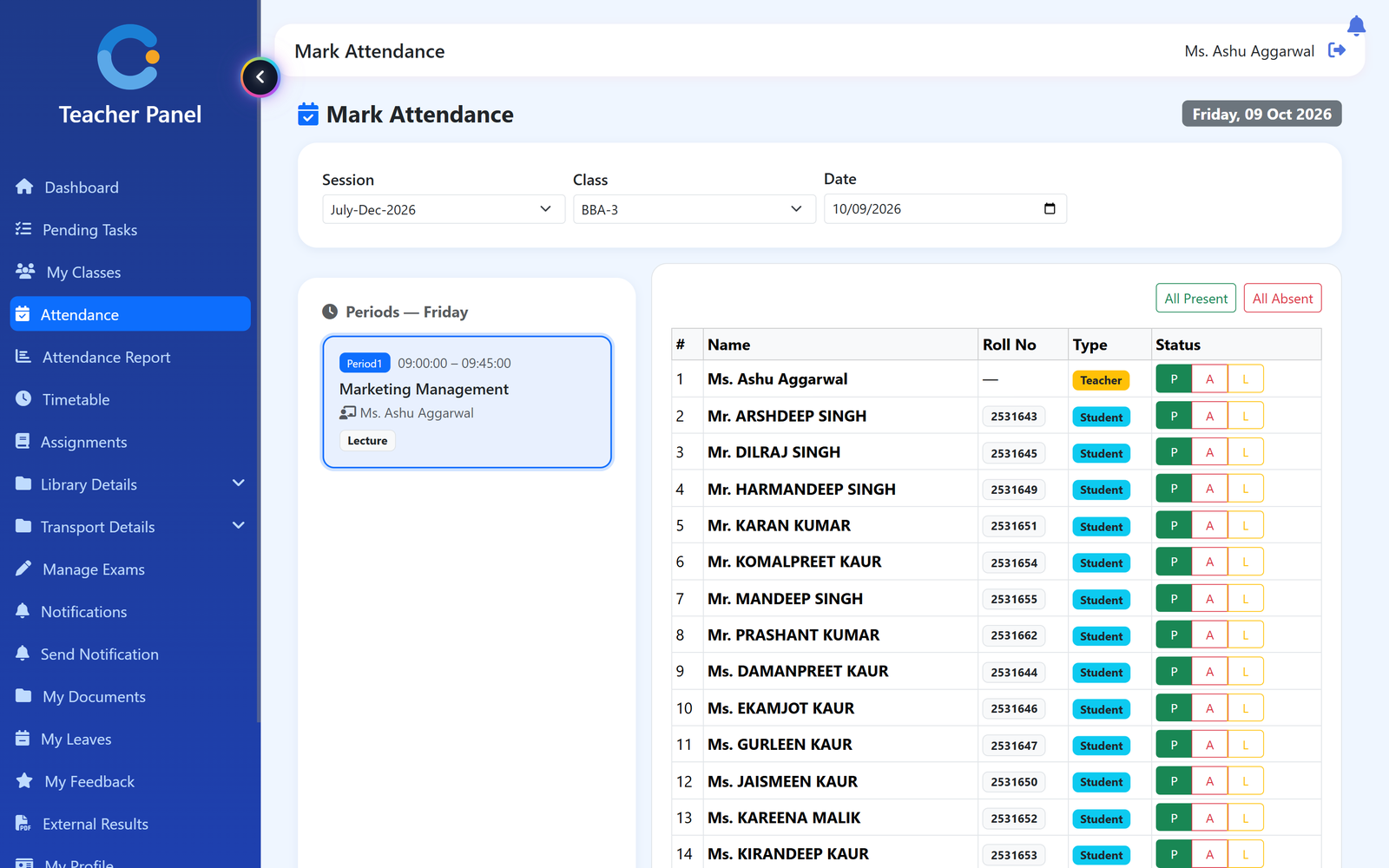
Teachers mark attendance period by period from the timetable, on the web or the Android app, and it locks on save. No one re-types a register into a sheet.
Parents and students cannot see a sheet
An Excel file stays on the office computer. In CampusOS students check the Android app and parents use their own web login.
Moving from Excel to CampusOS
You do not have to type your students in again.
- Save your student sheet as CSV. Keep columns for full name, email, course, session and semester. Excel saves this with File > Save As > CSV.
- Import the CSV. Upload it on the students page. Each row becomes a student account under the right course and session.
- Set up fees, timetable and staff. Add fee structures, periods and teacher-subject assignments once. Library books can also be imported from a CSV.
- Start working in CampusOS. Teachers mark attendance, the office raises invoices and records payments. Reports still download as Excel when you need them.
Excel vs CampusOS, point by point
Who stops waiting for a spreadsheet
Accounts office
No more totalling the fee sheet. Dues and receipts are always up to date.
Teachers
Mark attendance and enter marks once, in the class, instead of filling sheets later.
Principal
Sees attendance, results and dues without asking anyone to send a file.
Parents
See attendance, results and fees with receipts on their own login.
Asked about campusos vs excel
Can we import our students from Excel?
Yes. Save the sheet as CSV with full name, email, course, session and semester columns and import it on the students page. Library books can be imported the same way.
Can we still get our data in Excel?
Yes. Attendance reports, hostel dues, library fines and usage, transport papers, timetables, placements and the NAAC report all download as Excel.
Is it hard for staff who only know Excel?
Each person sees only the menus for their role, so a teacher sees attendance and marks, not the whole system.
Do we need to stop using Excel on day one?
No. Start with one module, for example fees or attendance, and move the rest when you are ready.
Modules that share the same records
See campusos vs excel running with your institution's name on it.
- A real walkthrough, not a slide deck. We set your institution up while you watch.
- Bring your hardest question. Fees and exam patterns are where most systems fall over.
- No obligation. If it is not right for you, we will say so.
Book a free demo
Tell us about your institution and we will show you exactly how it would run.