
Home›Placements
Placements and careersPlacement, internship and alumni records in one place.
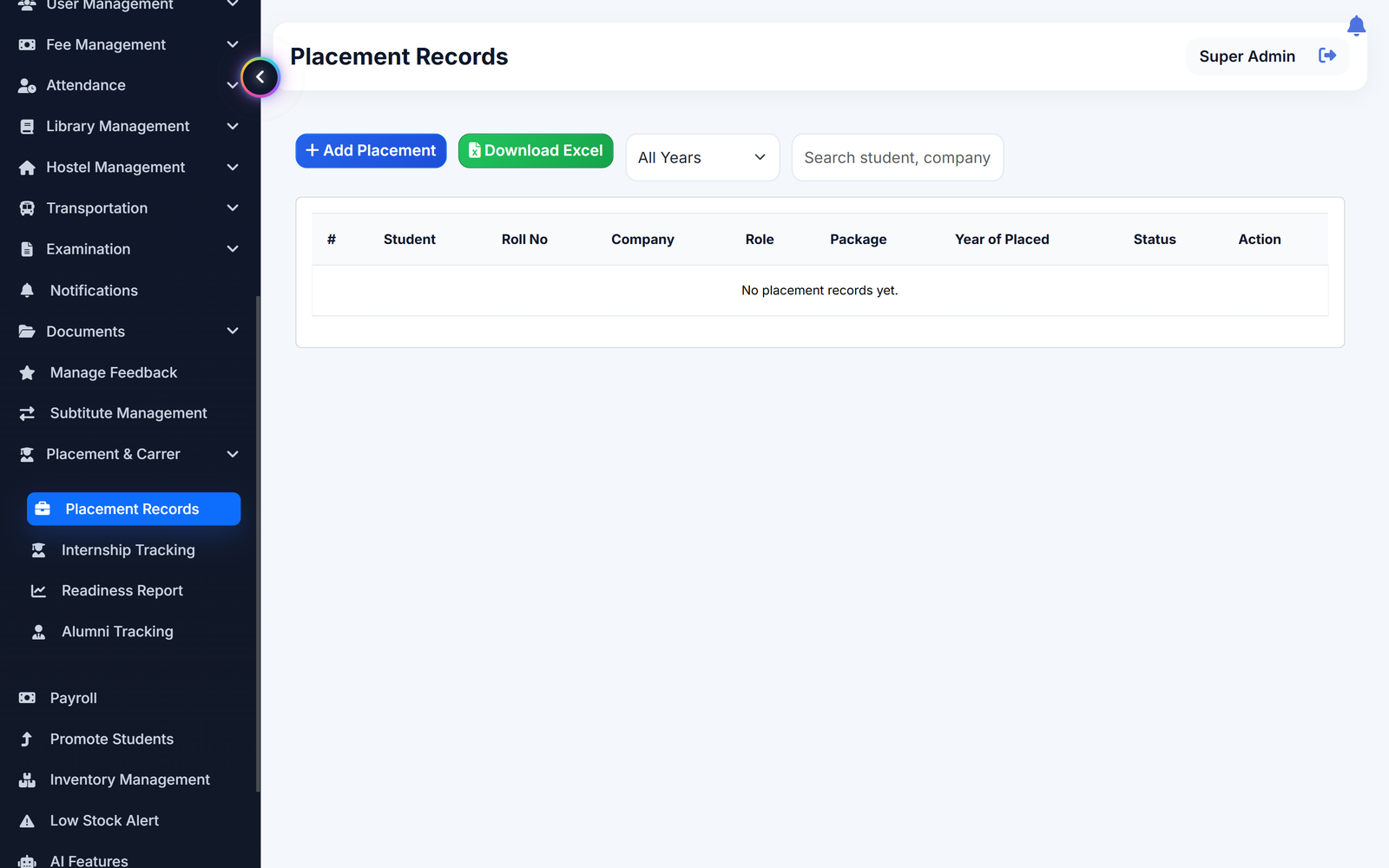
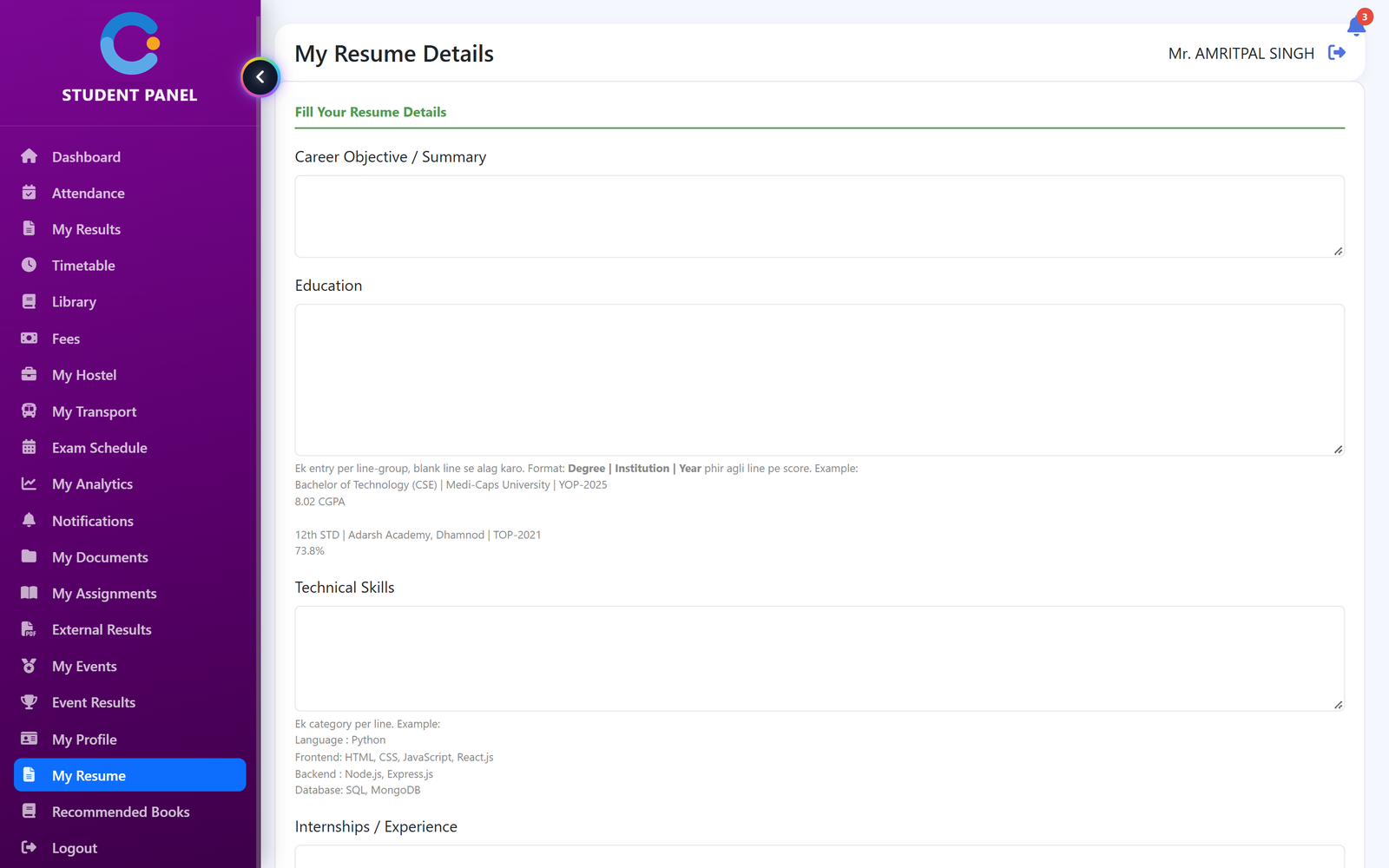
Record who was placed, where, in what role and at what package. Track internships and alumni alongside, filter by year and download to Excel. See a placement readiness score for every student, and let students fill in their details once and print a ready resume.
Where placement data usually goes missing
Placement lists kept in spreadsheets
Each record keeps the student, roll number, company, role, package, year and status in one table you can search and filter by year.
Internships nobody tracks
Record the company, duration, stipend and start date, and mark each internship ongoing or completed.
Alumni lost after the final year
Keep the passing year, current company and role, contact details, photo and a success note for every alumnus.
No idea who is ready for placements
A readiness score for every student is worked out from their exam results, attendance and internship, so the placement cell can see who needs help.
How it works
Record, track, check readiness and let students build their resume.
- Add placement records. Pick the student, enter company, role, package and year, and mark the record as placed or not placed, job placement or higher studies.
- Track internships and alumni. Add internships with stipend and status, and keep an alumni list with current company and success notes.
- Check readiness. Open the readiness report to see every student's score with their academics, attendance and internship alongside.
- Students build their resume. Each student fills in their details once, previews the resume and prints it or saves it as a PDF.
What is included
Who sees what
Admin / principal
Manages placement, internship and alumni records and checks the readiness report on the web and in the Android app.
Teacher
Can add and view placement, internship and alumni records and download them to Excel.
Student
Fills in resume details, previews the resume and prints it or saves it as a PDF.
Asked about placements
How is the readiness score worked out?
Half of the score is the student's average exam percentage and 30 per cent is attendance. A student with an internship record gets 20 more points. The total is capped at 100. It uses only the data already in CampusOS.
Does it run campus drives or take job applications?
No. It keeps the records of placements, internships and alumni. It does not run the hiring process or give companies a login.
Can we export the data?
Yes. Placement records, internships and alumni each download to Excel, and placements can be filtered by year first.
Is the package a number we can total?
The package is entered as text, for example 6 LPA, so it is shown as written rather than added up.
Can students make their own resume?
Yes. They fill in the details once and can print the resume or save it as a PDF.
Modules that share the same records
Exams & results
Exam schedules, marks entry by the subject teacher, grades, results and printable report cards.
Attendance
Period-wise attendance by the teacher, locked after saving, with class and student reports.
Mobile app
One Android app for teachers and students: attendance, timetable, results, assignments and more on the phone.
See placements running with your institution's name on it.
- A real walkthrough, not a slide deck. We set your institution up while you watch.
- Bring your hardest question. Fees and exam patterns are where most systems fall over.
- No obligation. If it is not right for you, we will say so.
Book a free demo
Tell us about your institution and we will show you exactly how it would run.