
Home›Engineering College ERP
For engineering collegesERP built for how an engineering college actually runs.
Departments with their own HODs, lecture, tutorial and practical periods, internal tests and university results, NAAC reporting and placements. CampusOS keeps all of it in one system, and it already runs an engineering and management college in Punjab.
Where engineering colleges lose time
Lab periods break the timetable
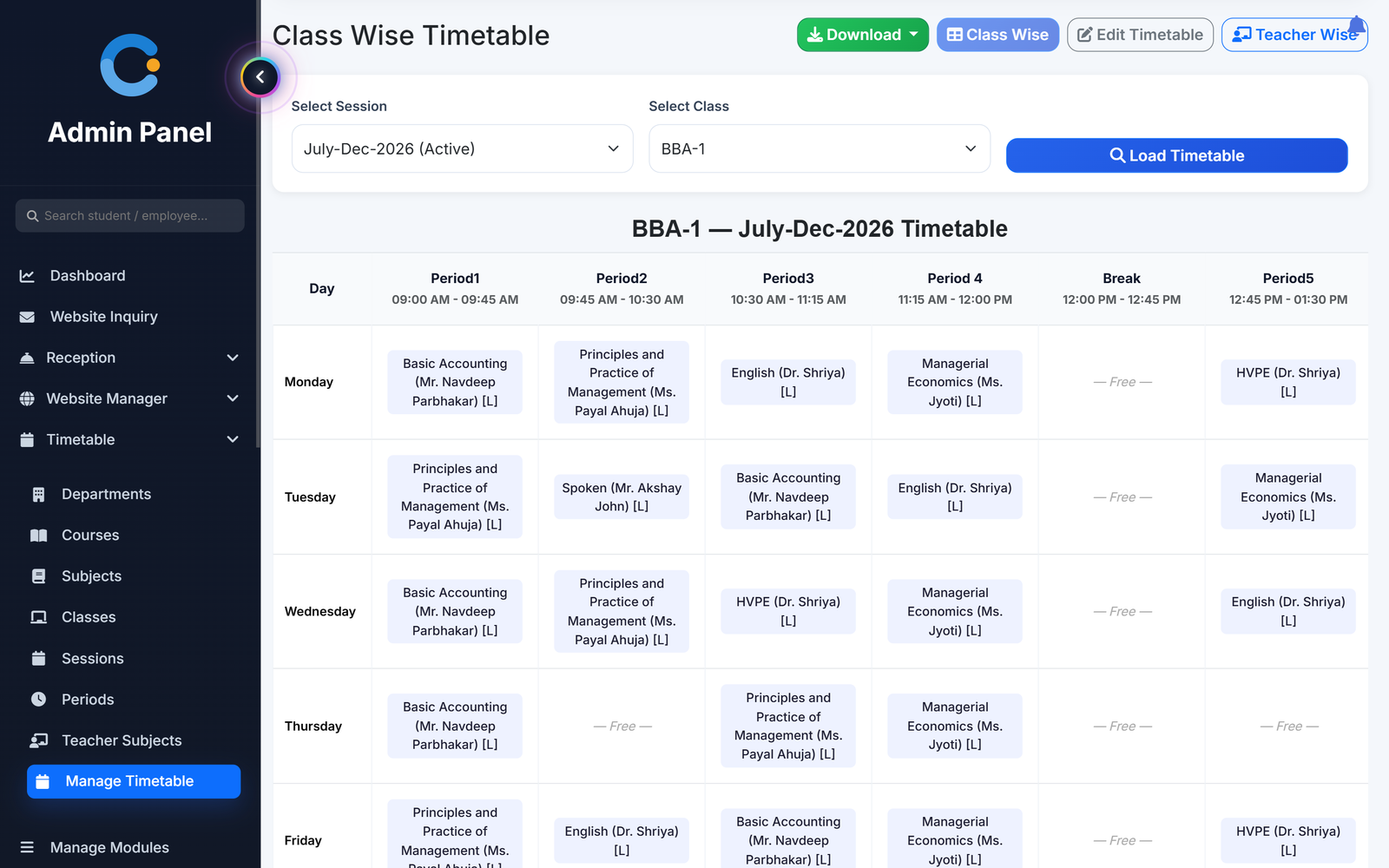
Teachers are assigned lecture, tutorial and practical hours per week. Auto Generate places a practical as two periods in a row and does not book a teacher twice in the same slot.
Attendance counted per subject by hand
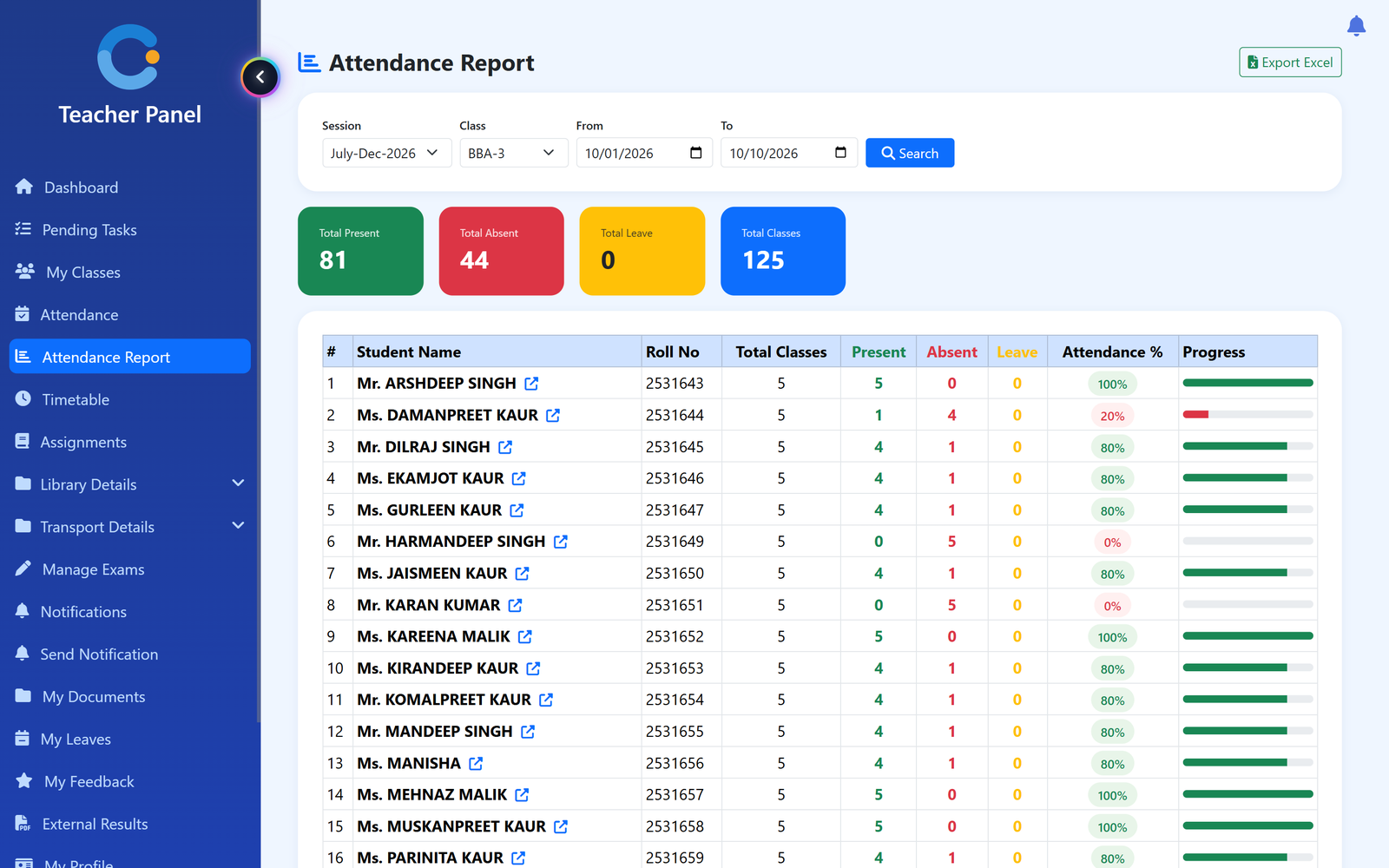
Teachers mark attendance period by period from the timetable, split into lecture, tutorial and practical, with class and department reports and Excel download.
Internal marks and university results in two places
Internal and external exams, marks entry, grades and report cards in one module, and university results uploaded against each student.
NAAC data put together at the last minute
The NAAC AQAR report pulls six indicators from data already in CampusOS and downloads as Excel.
How a department runs on CampusOS
Each HOD sees and approves only their own department.
- Set up the department. Add courses, classes, subjects and periods, and assign teachers with their lecture, tutorial and practical hours.
- Build the timetable. Use Auto Generate or edit the grid by hand. Download class-wise and teacher-wise views as PDF or Excel.
- Teach, mark and test. Teachers mark attendance and enter marks on the web or the Android app. The HOD checks the department report.
- Report and place. Results and report cards print from the same data. Placement records, internships and resumes build on it.
What an engineering college gets
Who uses it in an engineering college
Principal / director
Sees the whole college, gives final leave approval and runs the NAAC report.
HODs
Department attendance, department timetable and first approval of teacher leave.
Faculty
Mark attendance for their own periods, enter marks and apply for leave, also from the Android app.
Students
Timetable, attendance, results, exam schedule and pending fees in the Android app.
Asked about engineering college erp
Does the timetable handle lab periods?
Yes. Auto Generate places each practical as two periods in a row and does not book a teacher in two classes at once. The timetable runs Monday to Friday.
Can HODs see only their own department?
Yes. An HOD sees their department's attendance report and timetable and approves teacher leave before the principal.
Can we upload university results?
Yes. External exam results can be uploaded for each student next to the internal marks.
Is any engineering college using it?
Yes. Anand College of Engineering and Management, Kapurthala runs on CampusOS with every module switched on.
Does it track campus placement drives?
Not as a separate module. It keeps placement records, internships, alumni and a readiness score for each student.
Modules that share the same records
ACEM Case Study
How Anand College of Engineering and Management, Kapurthala runs its college on CampusOS.
Timetable
Class timetables built by hand or auto-generated, with teacher-wise views, PDF and Excel downloads.
Placements
Placement records, internships, alumni, a readiness score and a resume maker for your students.
See engineering college erp running with your institution's name on it.
- A real walkthrough, not a slide deck. We set your institution up while you watch.
- Bring your hardest question. Fees and exam patterns are where most systems fall over.
- No obligation. If it is not right for you, we will say so.
Book a free demo
Tell us about your institution and we will show you exactly how it would run.