
Home›Mobile app
Mobile appEverything a teacher or student needs, on the phone.
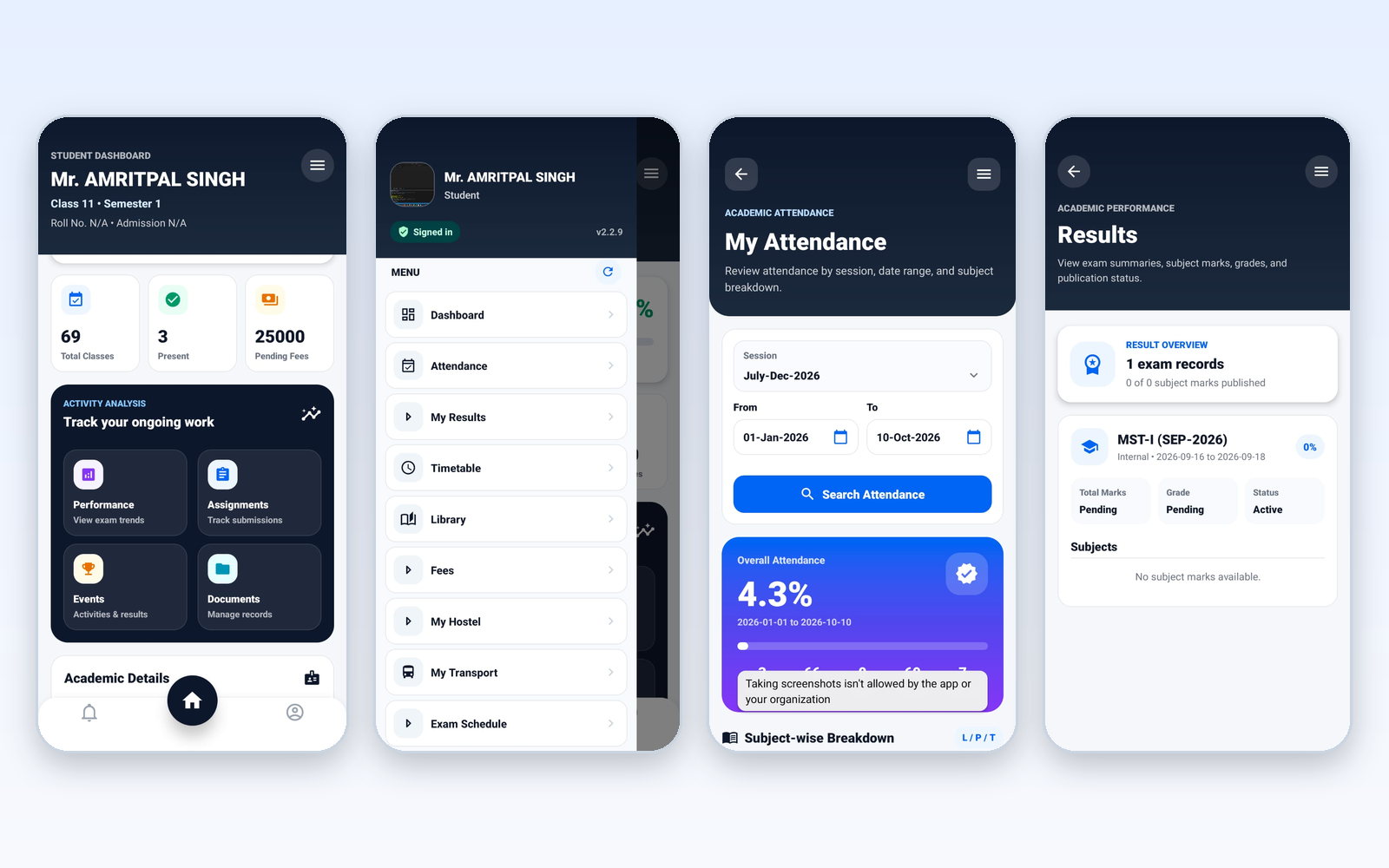
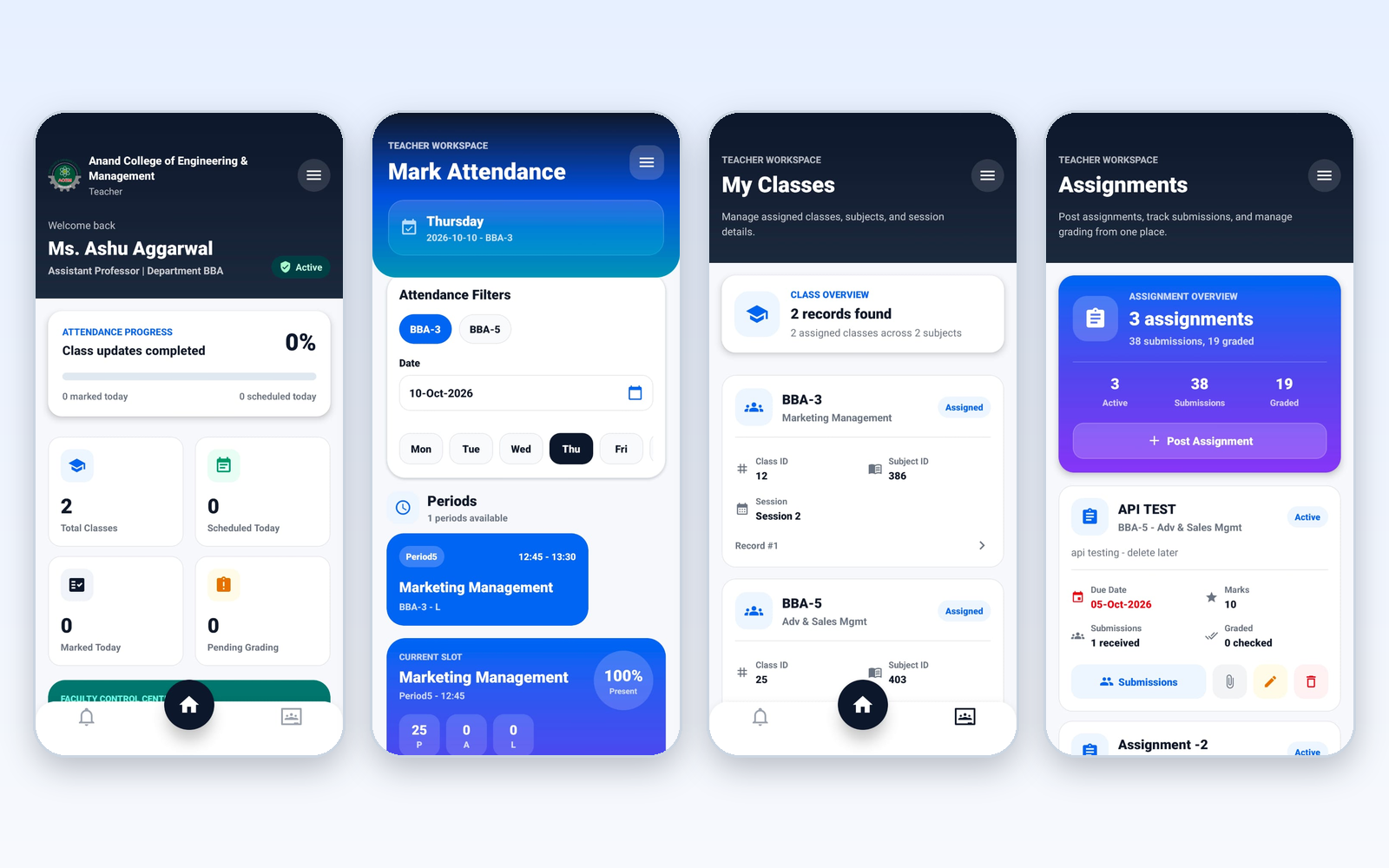
CampusOS has one Android app that both teachers and students sign in to, and each sees their own screens. Teachers mark period-wise attendance and manage assignments. Students see their attendance, results, timetable, fees due, library, hostel and transport. Parents use the web portal.
Why a phone app matters in a school or college
Attendance marked later from memory
The teacher opens the day's periods from the timetable and marks each student present, absent or late during the class.
Students keep asking the office
Students check attendance, results, timetable and exam schedule in the app instead of walking to the office.
Assignments lost in chat groups
Teachers post an assignment, see how many submissions came in and how many are graded.
Dues known only at the counter
The student dashboard shows pending fees. Payment is still recorded by the accounts office.
How the apps are used
Teachers and students sign in on the Android app.
- Sign in. A teacher or student signs in and lands on a home screen made for that role.
- Teacher marks attendance. Pick the class and date, open a period from the timetable, mark the students and save.
- Student checks the day. Attendance, results, timetable, exam schedule and fees due are a tap away in the menu.
- Office sees it in the web system. Attendance saved from the phone is stored in the same system the office uses on the web.
What is included
Who uses what
Teacher
Marks attendance by period, sees assigned classes and manages assignments.
Student
Checks attendance, results, timetable, exam schedule and fees due.
Parent
Uses the web portal. There is no parent app.
Admin and accounts
Work in the web system.
Asked about mobile app
Is there an iPhone app?
Not at present. CampusOS has an Android app for teachers and students.
Is there a parent login in the app?
No. Parents use the web portal. The mobile app is for teachers and students.
Can students pay fees in the app?
No. The app shows pending fees. The accounts office records payments as cash, cheque or online, and there is no online payment gateway.
Can teachers mark attendance from the phone?
Yes. Periods come from the timetable. Pick the class and date, mark each student and save.
Is the app available in Hindi?
Not yet. Hindi is marked as coming soon.
Modules that share the same records
See mobile app running with your institution's name on it.
- A real walkthrough, not a slide deck. We set your institution up while you watch.
- Bring your hardest question. Fees and exam patterns are where most systems fall over.
- No obligation. If it is not right for you, we will say so.
Book a free demo
Tell us about your institution and we will show you exactly how it would run.