
Home›Admissions & enquiries
Admissions and enquiriesNo admission enquiry goes cold.
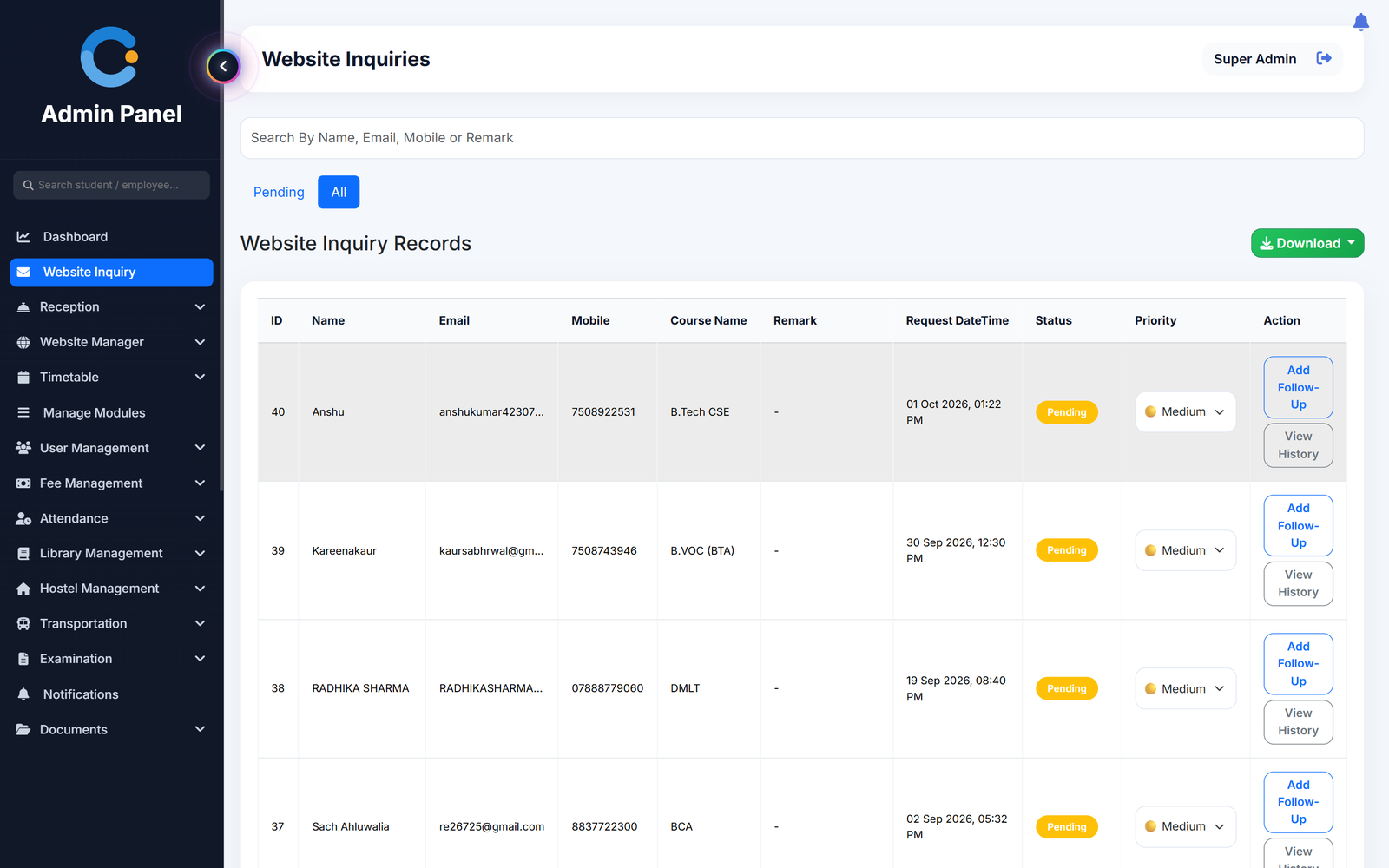
Every enquiry lands in one list with the student's course, mobile number and time. The front office sets a priority, logs each follow-up call and marks it resolved, so the next person always knows who was called and what was said.
Where admission enquiries usually go missing
Enquiries scattered across phones and diaries
Name, mobile, email and the course asked for sit in one list that anyone in the office can search by name, email, mobile or remark.
Nobody knows who called whom
Each follow-up is added to the enquiry's log. Open the history to see every earlier call before you pick up the phone.
Hot enquiries treated like cold ones
Mark an enquiry high, medium or low priority and filter the list to what is still pending.
Front desk with no record of visitors
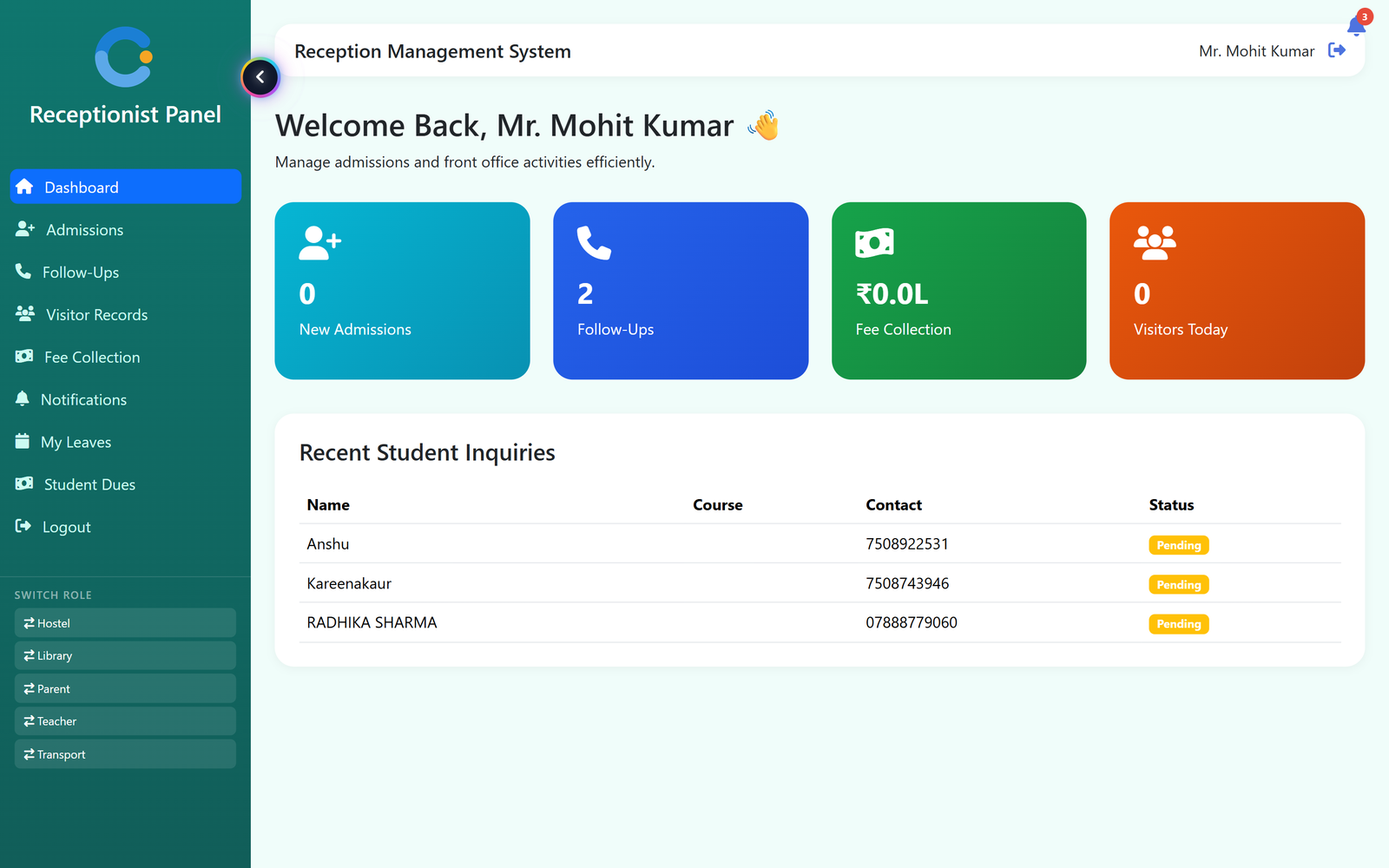
Visitors are entered with purpose and whom they met, with in and out time, and the receptionist sees today's count on the panel.
How an enquiry becomes an admission
Handled by the front office, visible to the admin.
- Enquiry arrives. It appears in the Website Inquiry list as Pending, with course, mobile and time of request.
- Set the priority. Mark it high, medium or low so the office knows which calls to make first.
- Log every follow-up. Add a follow-up note after each call. The status moves to Follow-Up and the history is kept.
- Resolve and admit. Mark the enquiry resolved once the student is admitted or the matter is closed.
What is included
Who sees what
Receptionist
Works the enquiry list, logs follow-ups, records visitors and checks a student's dues.
Admissions / admin
Sees every enquiry, its priority and its follow-up history, and downloads the list.
Principal / management
Sees how many enquiries are still pending without asking the front office.
Asked about admissions & enquiries
Can we track follow-ups on each enquiry?
Yes. Add a follow-up note after each call. The enquiry moves to Follow-Up, and the full history of notes can be opened at any time.
Can we prioritise enquiries?
Yes. Each enquiry can be set to high, medium or low priority.
Can we export the enquiry list?
Yes. The list can be downloaded as a PDF or as an Excel file.
Does the front office get its own login?
Yes. The receptionist has a separate panel with admissions, follow-ups, visitor records and student dues, without access to the rest of the system.
Can we record visitors at the front desk?
Yes. Each visitor is recorded with purpose, whom they came to meet, and in and out time.
Modules that share the same records
See admissions & enquiries running with your institution's name on it.
- A real walkthrough, not a slide deck. We set your institution up while you watch.
- Bring your hardest question. Fees and exam patterns are where most systems fall over.
- No obligation. If it is not right for you, we will say so.
Book a free demo
Tell us about your institution and we will show you exactly how it would run.