
Home›Library
Library managementEvery book, every borrower, every late fine tracked.
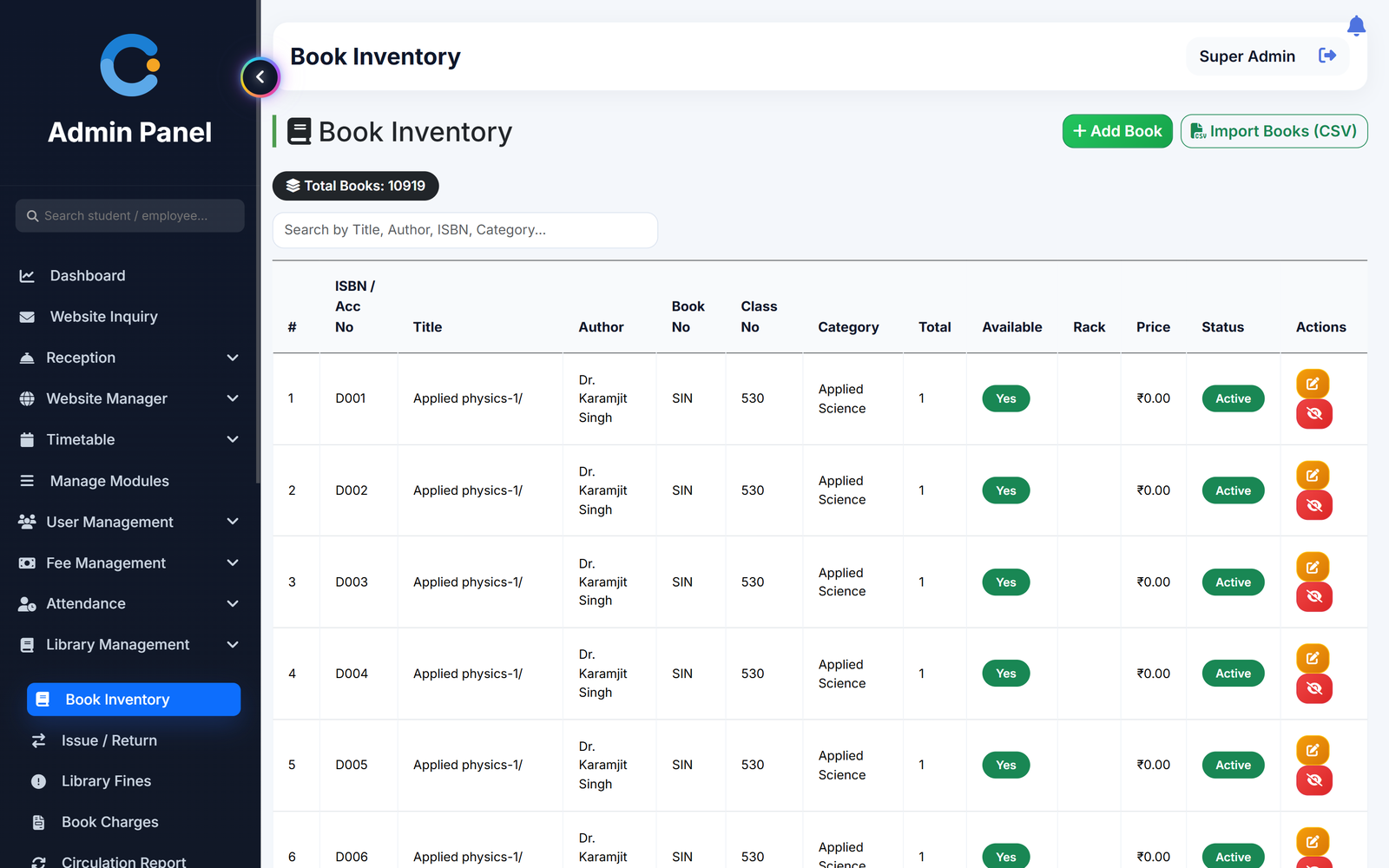
Add your books once or import the whole catalogue from an Excel file. Issue a book to a student or teacher, and the due date, copies left and any late fine are worked out for you. The librarian sees who holds what and who still owes.
Where library records usually break
Registers that hide who has the book
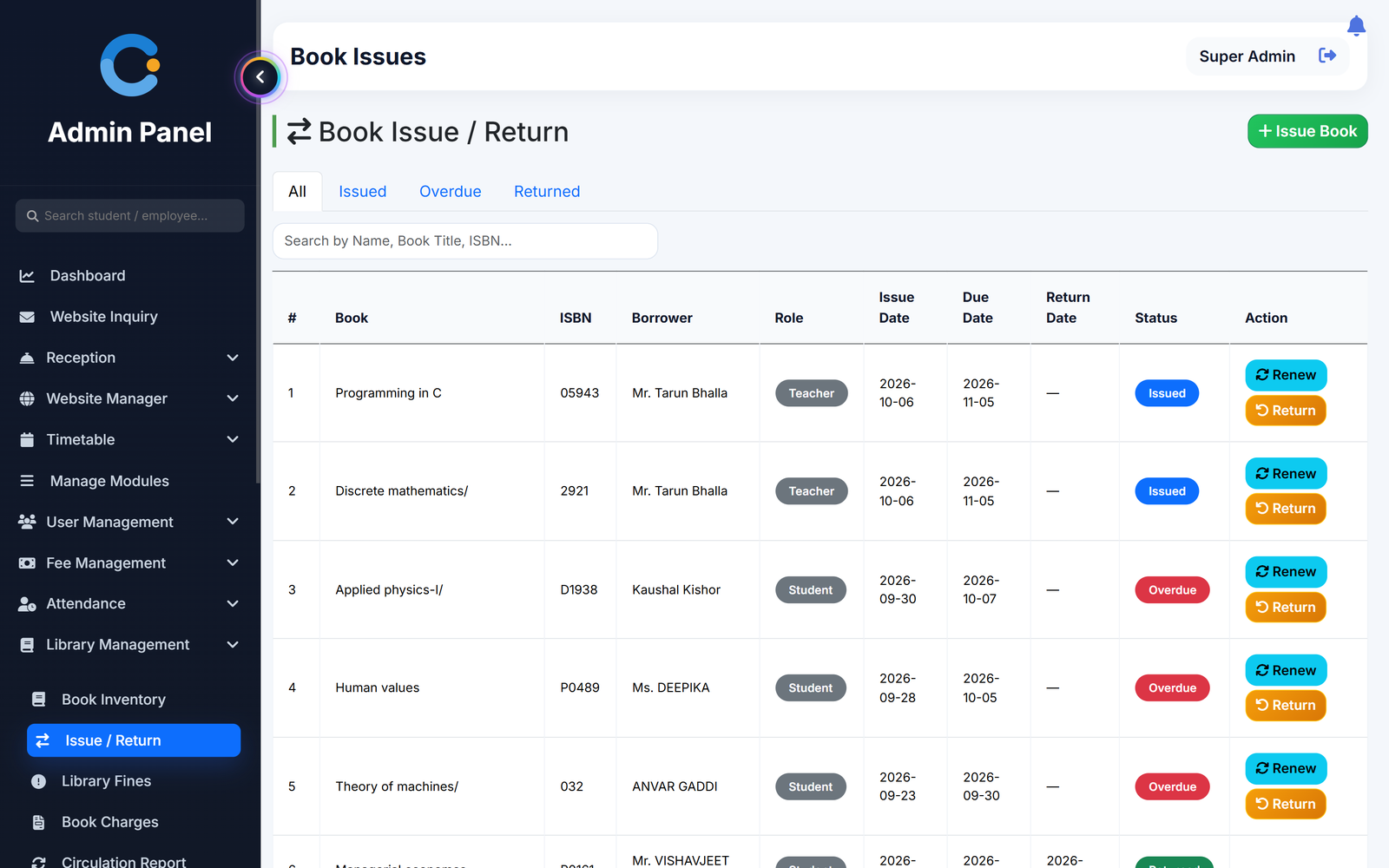
Every issue records the book, the borrower, the date and the due date. Copies available drops on issue and goes back up on return.
Late fines worked out by hand
The fine per day is set on each book. When a book is returned late, the overdue days and the total fine are calculated for you, and the fines list updates daily.
Some people hoarding books
A student can hold 3 books at a time and a teacher 5. The system refuses a new issue past that limit.
Typing a big catalogue again
Save your existing book list as CSV and import it in one go, with title, author, category, rack and price.
How a book moves through the library
From catalogue to return, with the fine handled on the way.
- Add or import books. Enter a book with its copies, or import many from CSV. Each copy gets its own accession number.
- Issue to a borrower. Search the book and the student or teacher. The due date is 7 days for students and 30 for teachers.
- Renew if needed. An issued book can be renewed. The due date moves forward by the same number of days.
- Return and settle the fine. On return the copy is back in stock. If it was late, the fine is raised and can be marked paid.
What is included
Who sees what
Librarian
Logs in with a library role to manage books, issues, fines, charges and notices.
Admin / principal
Has the same library screens and the circulation and usage reports.
Student
Sees the books they hold, due dates and any fine after logging in.
Teacher
Sees their issued books, due dates and charges, on the web or in the Android app.
Asked about library
Can we import our existing book list?
Yes. Save your list from Excel as a CSV file and import it. Accession number and title are required, and the category is chosen on import.
How are late fines calculated?
Each book has a fine per day. On a late return, the days past the due date are multiplied by that amount. The fines list can be exported to Excel.
How many books can one person borrow?
A student can hold 3 books at a time and a teacher 5. A further issue is refused until a book is returned.
Does it support barcode scanning or e-books?
Not at present. Books are found by search on title or accession number, and there is no barcode scanner, reservation or e-book feature.
Can the library charge a fee to issue a book?
Yes. If a book has an issue price, a charge is raised on issue and can be marked paid, with a printable receipt.
Modules that share the same records
Hostel
Hostel buildings, rooms and bed allotment, with monthly hostel fees billed and receipted separately.
Transport
Routes, vehicles and seats, monthly transport fees billed to students and staff, and a bus papers tracker.
Fee management
Fee structure, invoices, receipts, scholarships and a live dues list.
See library running with your institution's name on it.
- A real walkthrough, not a slide deck. We set your institution up while you watch.
- Bring your hardest question. Fees and exam patterns are where most systems fall over.
- No obligation. If it is not right for you, we will say so.
Book a free demo
Tell us about your institution and we will show you exactly how it would run.