
Home›Degree College ERP
For degree collegesDegree college ERP, from admission to the final semester.
Admissions, fees with scholarships, semester-wise classes, attendance, exams and the library run on one student record. At the end of a semester you promote the whole batch together, and the record carries forward.
What slows down a degree college office
Moving every student to the next semester
Pick the course and semester, tick the students and promote them together. After an even semester they move to the next academic session, and the final semester marks them as graduated.
Scholarships worked out by hand
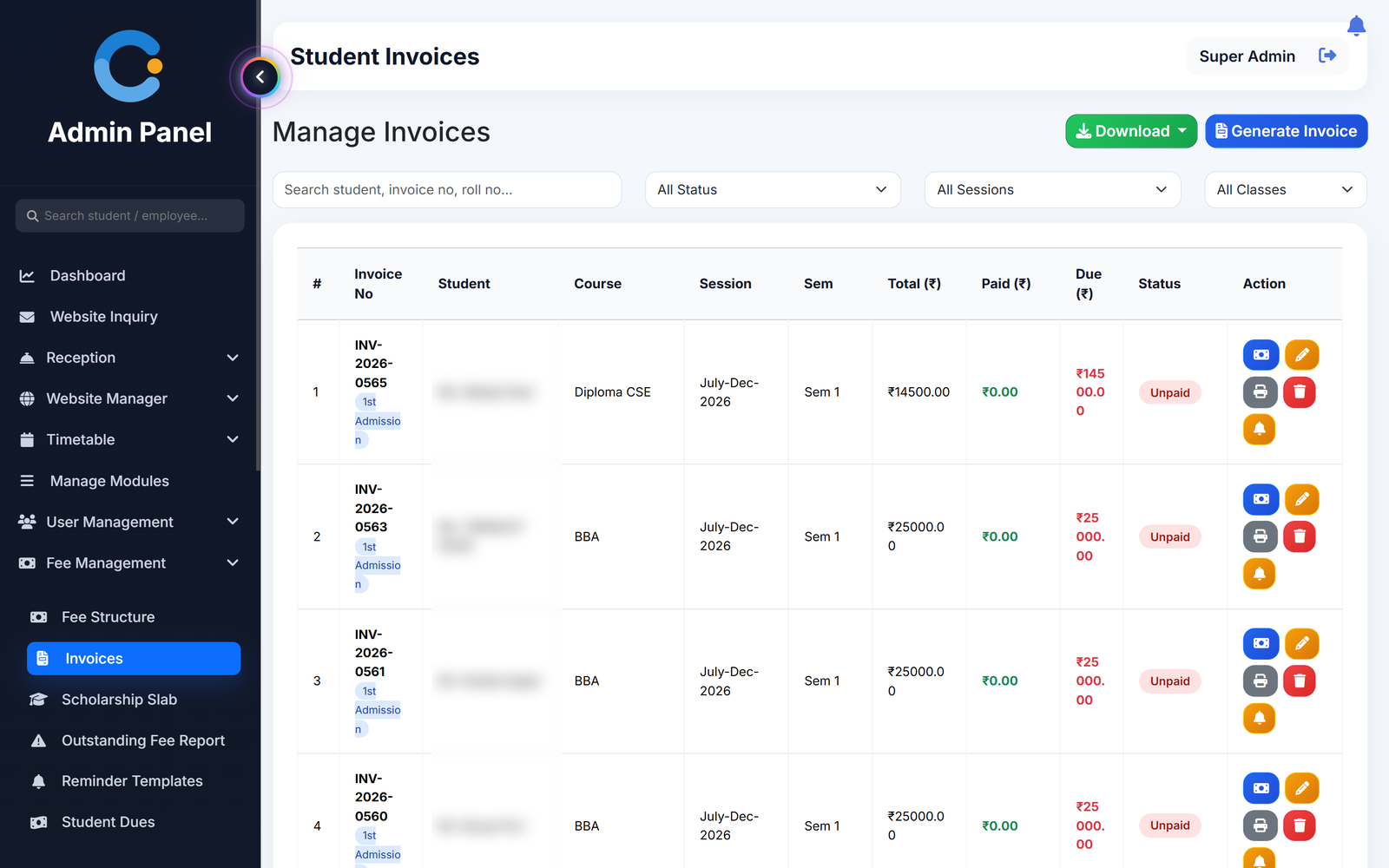
Set scholarship slabs by marks percentage. The matching scholarship percentage is applied as a discount on the student's fee invoice.
Admission season inquiries
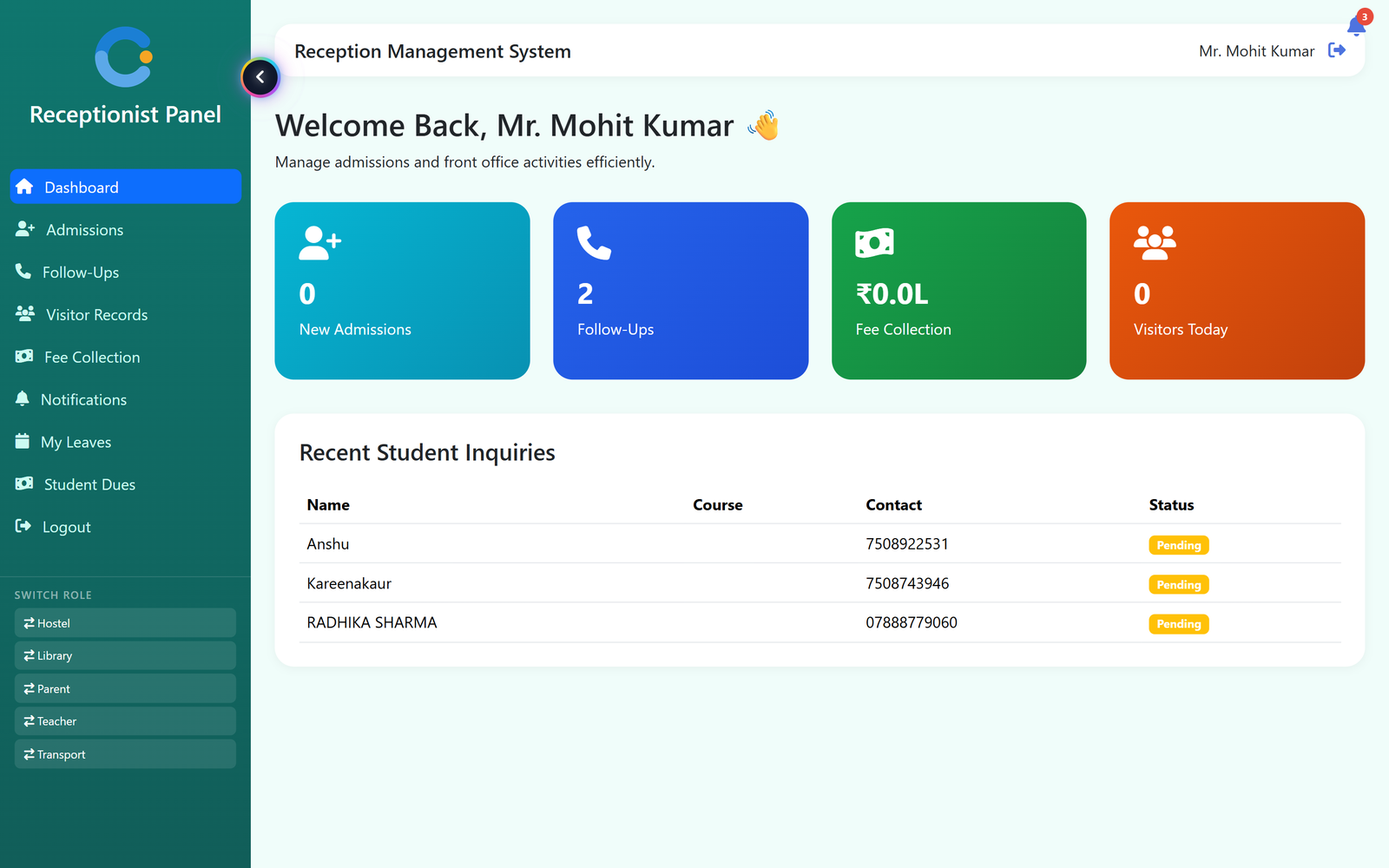
Website inquiries come in with status, priority and a follow-up log, and the reception desk handles walk-ins and visitors.
No honest view of teaching
Switch on teacher feedback and students rate their teachers. The admin and HODs see the results.
A degree college year on CampusOS
One student record from inquiry to the final semester.
- Admit. Follow up inquiries, admit the student into a course and semester, and the parent login is created.
- Bill. Raise fee invoices, apply the scholarship slab, record payments and print receipts.
- Teach and test. Teachers mark attendance from the timetable and enter marks for internal and external exams.
- Promote. Promote the batch to the next semester. HODs can promote their own department, also from the Android app.
What a degree college gets
Who uses it in a degree college
Principal
Sees admissions, attendance, results and dues, and reads teacher feedback.
HODs
Department attendance and timetable, teacher leave approval and semester promotion for their department.
Office and reception
Inquiries, admissions, fee invoices, scholarships, payments and receipts.
Students
Timetable, attendance, results, fees and teacher feedback in the Android app.
Asked about degree college erp
How does semester promotion work?
Choose the course and semester, select the students and promote them. After an even semester they move to the next academic session, and students in the final semester are marked as graduated.
Can scholarships be applied to fees?
Yes. You set slabs by marks percentage with a scholarship percentage for each, and it is applied as a discount on the invoice.
Can students give feedback on teachers?
Yes. When feedback is switched on, students submit it and the admin and HODs can see the results.
Does it have a university result upload?
Yes. External exam results can be uploaded for each student next to the internal marks.
Can parents pay fees online?
Not at present. Parents see invoices and receipts on their portal, and payments are recorded by the office.
Modules that share the same records
See degree college erp running with your institution's name on it.
- A real walkthrough, not a slide deck. We set your institution up while you watch.
- Bring your hardest question. Fees and exam patterns are where most systems fall over.
- No obligation. If it is not right for you, we will say so.
Book a free demo
Tell us about your institution and we will show you exactly how it would run.