
Home›Payroll & HR
Payroll and HRSalary, payslips and leave without the monthly spreadsheet.
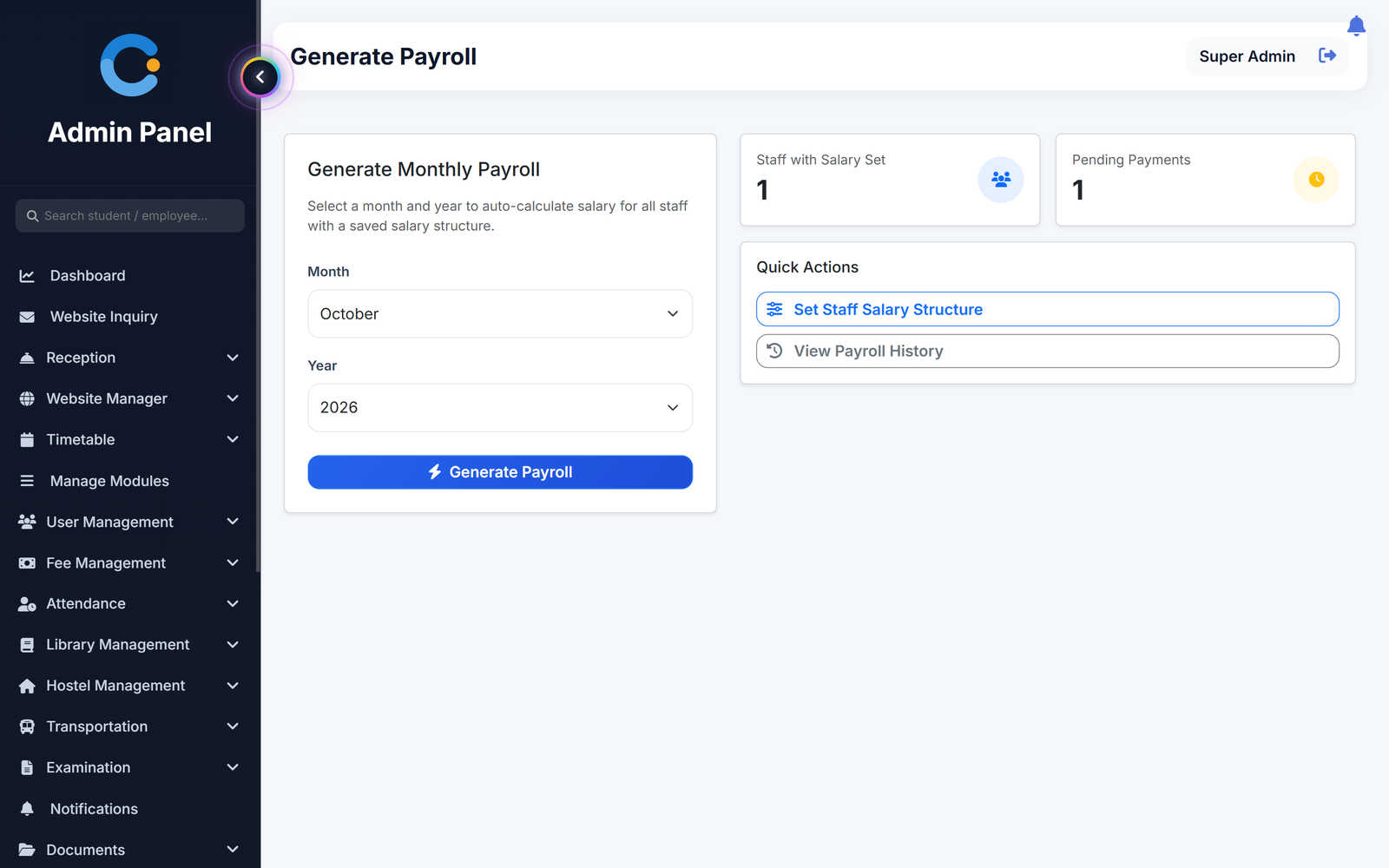
Set up each person's basic salary, allowances and deductions once. At month end, generate payroll for everyone with a structure in one click, print the payslips and mark salaries paid. Leave requests go from the teacher to the head of department and then the principal, and approved leave is deducted automatically.
Where salary and leave usually break
Salary worked out in a spreadsheet each month
Basic, HRA, travel and other allowances, PF and tax are saved once per person. Each month the net salary is calculated from them for everyone with a structure at once.
Leave and salary kept apart
Approved leave days in the month are deducted from the salary at one-thirtieth of basic per day, so payroll does not need a separate leave count.
Leave approved by phone call
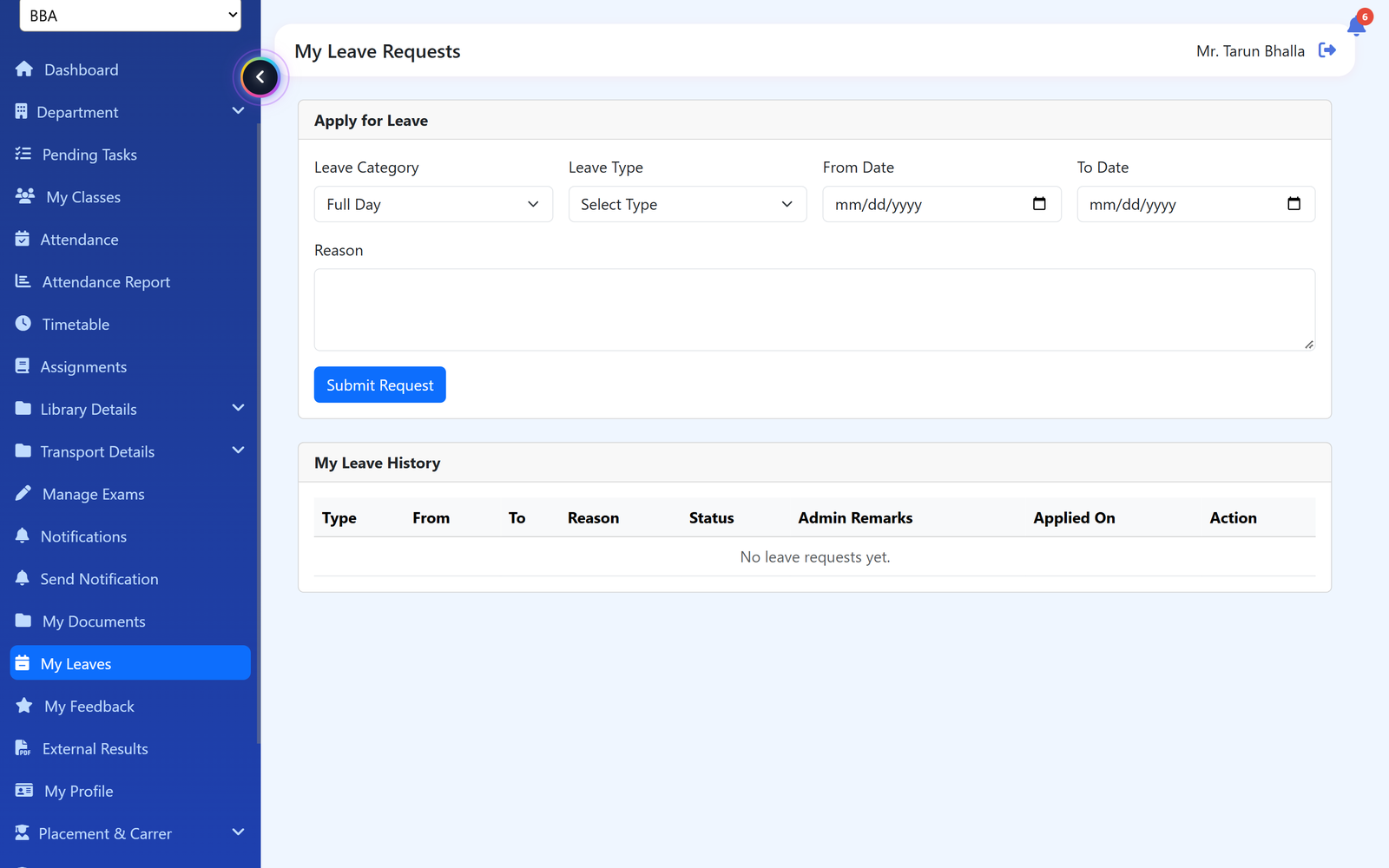
The teacher applies in the system. The HOD of the same department approves first, then the principal. The teacher is notified of the decision.
Payslips rebuilt on request
Every payroll record has a payslip that can be opened and printed whenever a staff member asks.
How a month of payroll runs
Set up once, then it is a few clicks a month.
- Set the salary structure. For each staff member, enter basic salary, HRA, travel and other allowance, PF and tax deduction.
- Leave is approved. Leave requests are approved by the HOD and then the principal, and the approved days are counted for the month.
- Generate the payroll. Pick the month and year. Payroll is created for every person with a structure, and any already done is skipped.
- Pay and print. Mark each salary as paid with the date, and open or print the payslip.
What is included
Who sees what
Admin / principal
Sets salary structures, generates payroll, marks salaries paid and gives final approval on leave.
Head of department
Approves or rejects leave requests from teachers in their own department.
Teacher
Applies for leave on the web or in the Android app and sees whether it was approved.
Non-teaching staff
Hostel, library, transport and reception staff can apply for leave from their own login.
Asked about payroll & hr
How is the net salary worked out?
Basic salary plus HRA, travel and other allowance, minus PF, tax and any leave deduction. PF and tax are the amounts you enter for each person.
How is leave deducted from salary?
Approved leave days in the month are deducted at one-thirtieth of the basic salary for each day.
Who approves leave?
For teachers, the head of the same department approves first and then the principal. The principal cannot act until the HOD has approved.
Does it pay salaries into bank accounts?
No. It works out the salary and keeps the payslip. You pay by your usual method and mark the record as paid.
Can we pay salary on attendance?
Not at present. Payroll uses the salary structure and approved leave, not the attendance register.
Modules that share the same records
Attendance
Period-wise attendance by the teacher, locked after saving, with class and student reports.
Mobile app
One Android app for teachers and students: attendance, timetable, results, assignments and more on the phone.
Fee management
Fee structure, invoices, receipts, scholarships and a live dues list.
See payroll & hr running with your institution's name on it.
- A real walkthrough, not a slide deck. We set your institution up while you watch.
- Bring your hardest question. Fees and exam patterns are where most systems fall over.
- No obligation. If it is not right for you, we will say so.
Book a free demo
Tell us about your institution and we will show you exactly how it would run.