
Home›Inventory
InventoryKnow what you have, where it is and what is running low.
Keep one list of every item the institute owns, from classroom furniture to lab equipment and stationery. Record each purchase, issue, transfer, return, damage and scrap against a location, filter the current stock by category or room, and see which items have fallen below their reorder level.
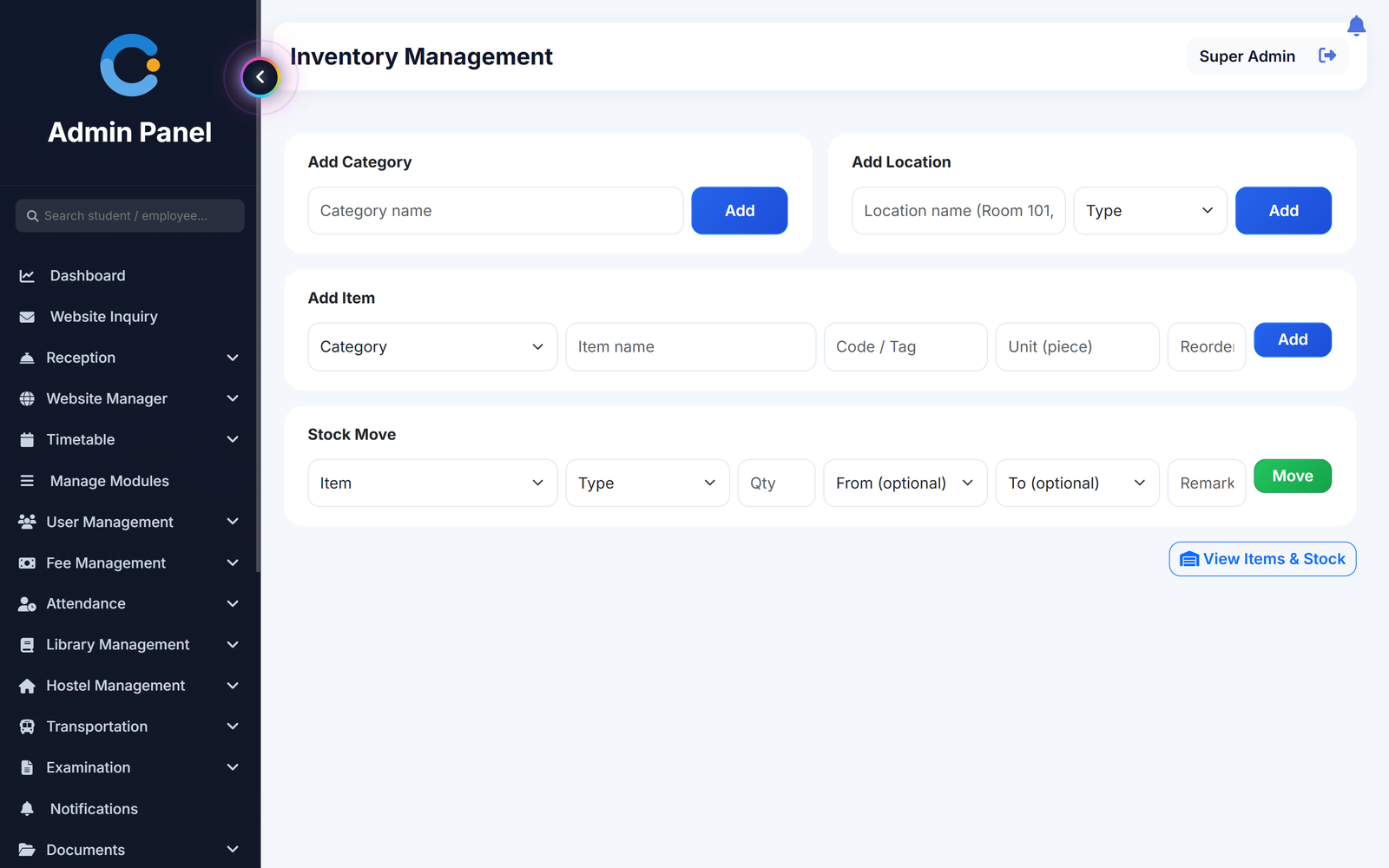
Where inventory usually goes missing
No single list of what the institute owns
Every item has a category, a code or tag, a unit and a reorder level, so furniture, equipment and consumables sit in one place.
Nobody knows which room has what
Stock is held against a location such as a classroom, lab, store or office. Filter by category or location to see the quantity in each.
Stock moves with no record
Purchases, issues, transfers, returns, damage and scrap are each entered with quantity, from and to location, remarks and the user who did it.
Running out before anyone notices
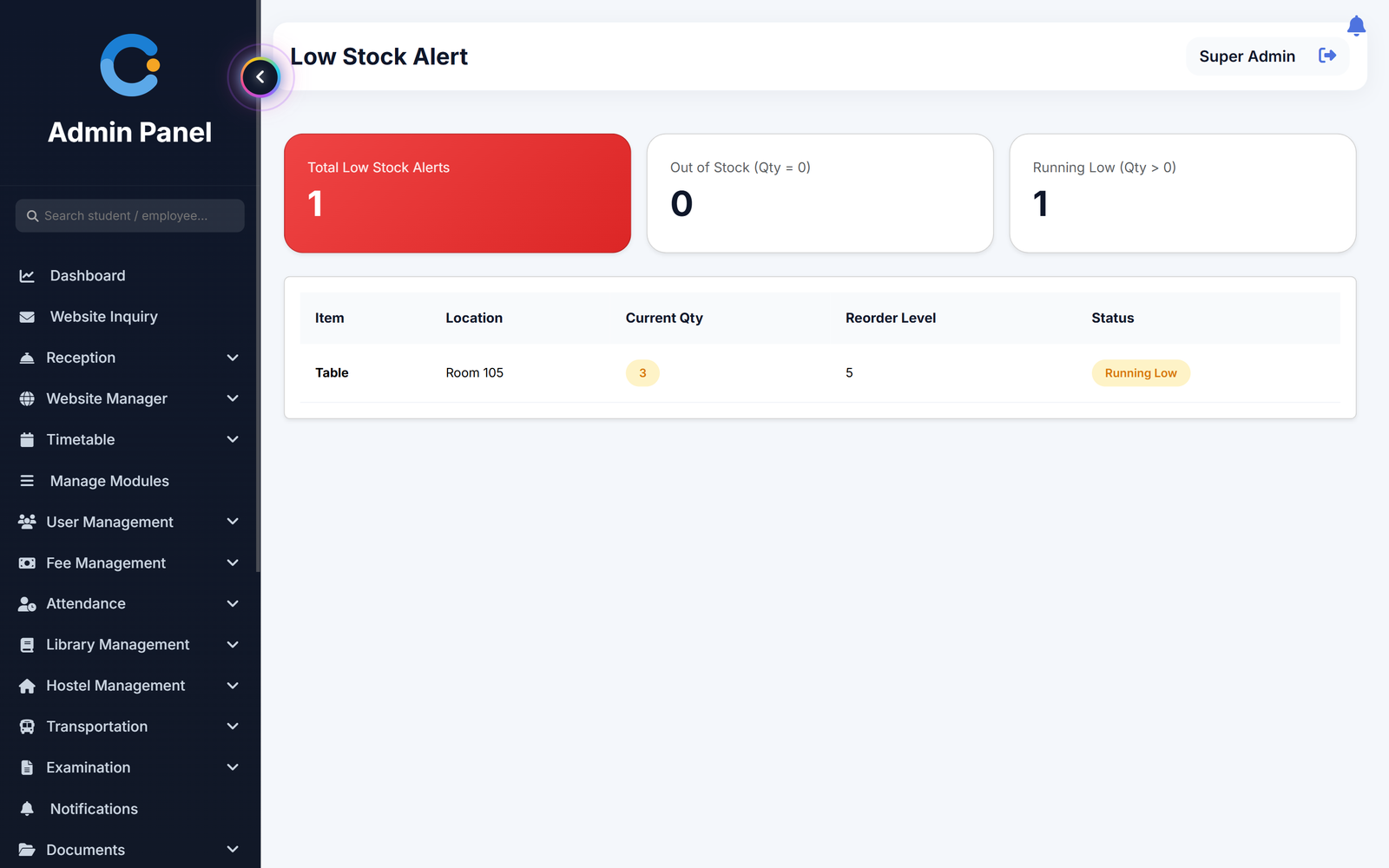
The low stock page lists every item whose quantity in a location is below its reorder level, and shows which are out of stock.
How it works
Set up categories and locations, add items, then record every movement.
- Set up categories and locations. Add categories such as furniture or lab equipment, and locations such as Room 101 or the main store, marked as classroom, lab, store or office.
- Add items. Enter the item name, category, code or tag, unit and the reorder level.
- Record stock movement. Choose the item, the type of movement, the quantity and the from and to locations. Stock at each location is updated.
- Check stock and low stock. Filter the stock view by category or location, and open the low stock page to see what needs reordering.
What is included
Who sees what
Admin / principal
Sets up categories, locations and items, records stock movement and checks the low stock list on the web and in the Android app.
Other staff
The admin can switch the inventory pages on or off for each user from the menu permissions.
Asked about inventory
What can we track?
Any item you add: furniture, lab equipment, stationery, sports goods and so on. Each has a category, code or tag, unit and reorder level.
How does the low stock list work?
It compares the quantity of an item in a location with the reorder level you set. Anything below it is listed, and items with nothing left are shown as out of stock. It is a page to check, not an email or message alert.
Can we see the history of movements?
Every movement is saved with quantity, locations, remarks and the user. A separate history report is not available yet, so the stock view shows the current quantity.
Can we export stock to Excel?
Not at present. Stock is viewed and filtered on screen.
Does it track purchase orders or suppliers?
No. It records stock coming in, going out and moving between locations, not purchase orders or vendors.
Modules that share the same records
Library
Book catalogue, issue and return, renewals, automatic fines and usage reports for students and teachers.
Transport
Routes, vehicles and seats, monthly transport fees billed to students and staff, and a bus papers tracker.
Hostel
Hostel buildings, rooms and bed allotment, with monthly hostel fees billed and receipted separately.
See inventory running with your institution's name on it.
- A real walkthrough, not a slide deck. We set your institution up while you watch.
- Bring your hardest question. Fees and exam patterns are where most systems fall over.
- No obligation. If it is not right for you, we will say so.
Book a free demo
Tell us about your institution and we will show you exactly how it would run.