
Home›Parent Portal
Parent portalLet parents check attendance, results and fees without calling the office.
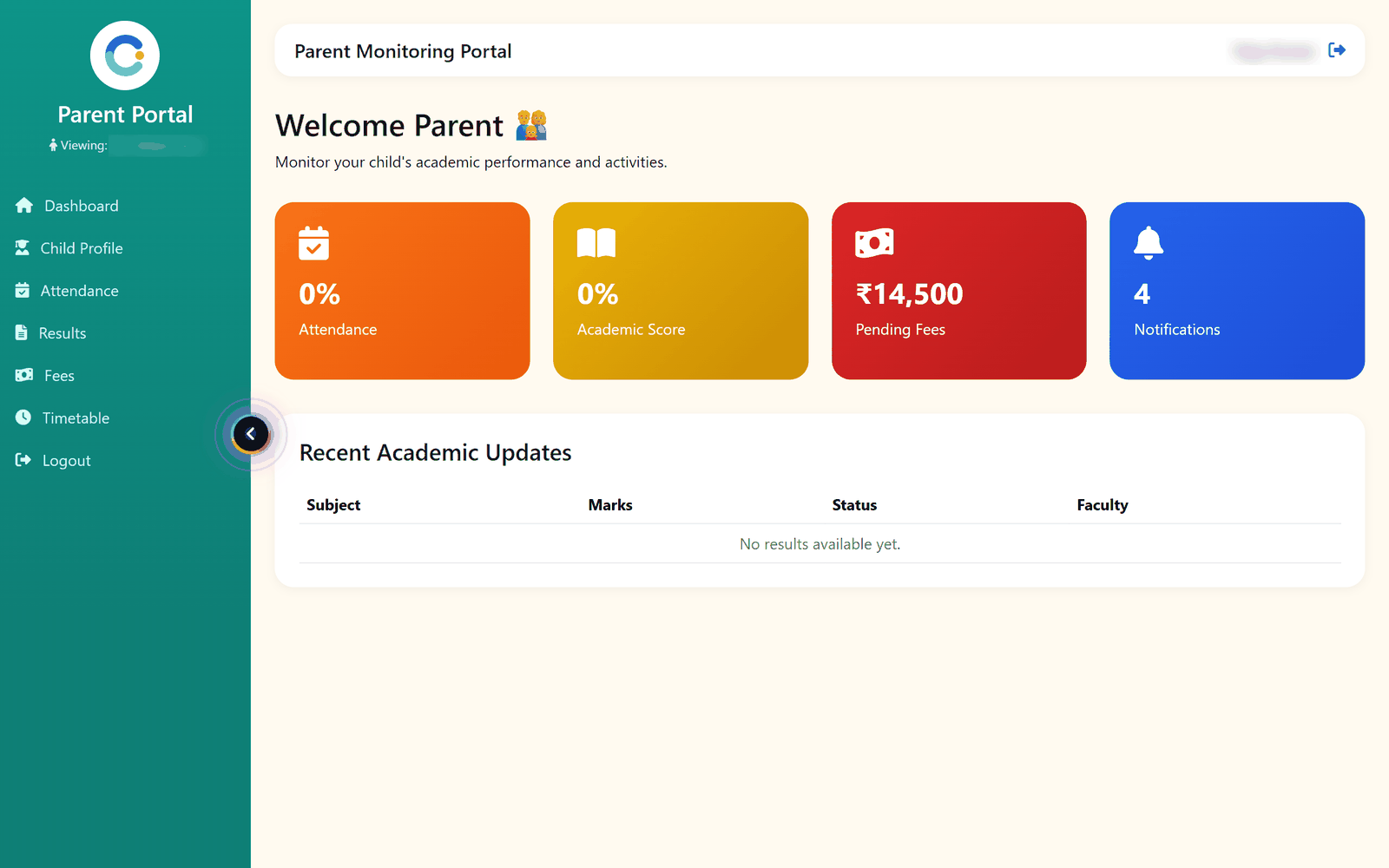
Every parent gets a login that opens a simple dashboard for their child: attendance, academic score, pending fees and school notices. From there they open the full attendance, results, fees and timetable pages. Parents with more than one child switch between them from the same login.
Why parents keep calling the office
Parents ask the office for every update
Attendance, marks and fee status are on the parent's own login, so the office does not have to answer the same questions every day.
Fee dues come as a surprise
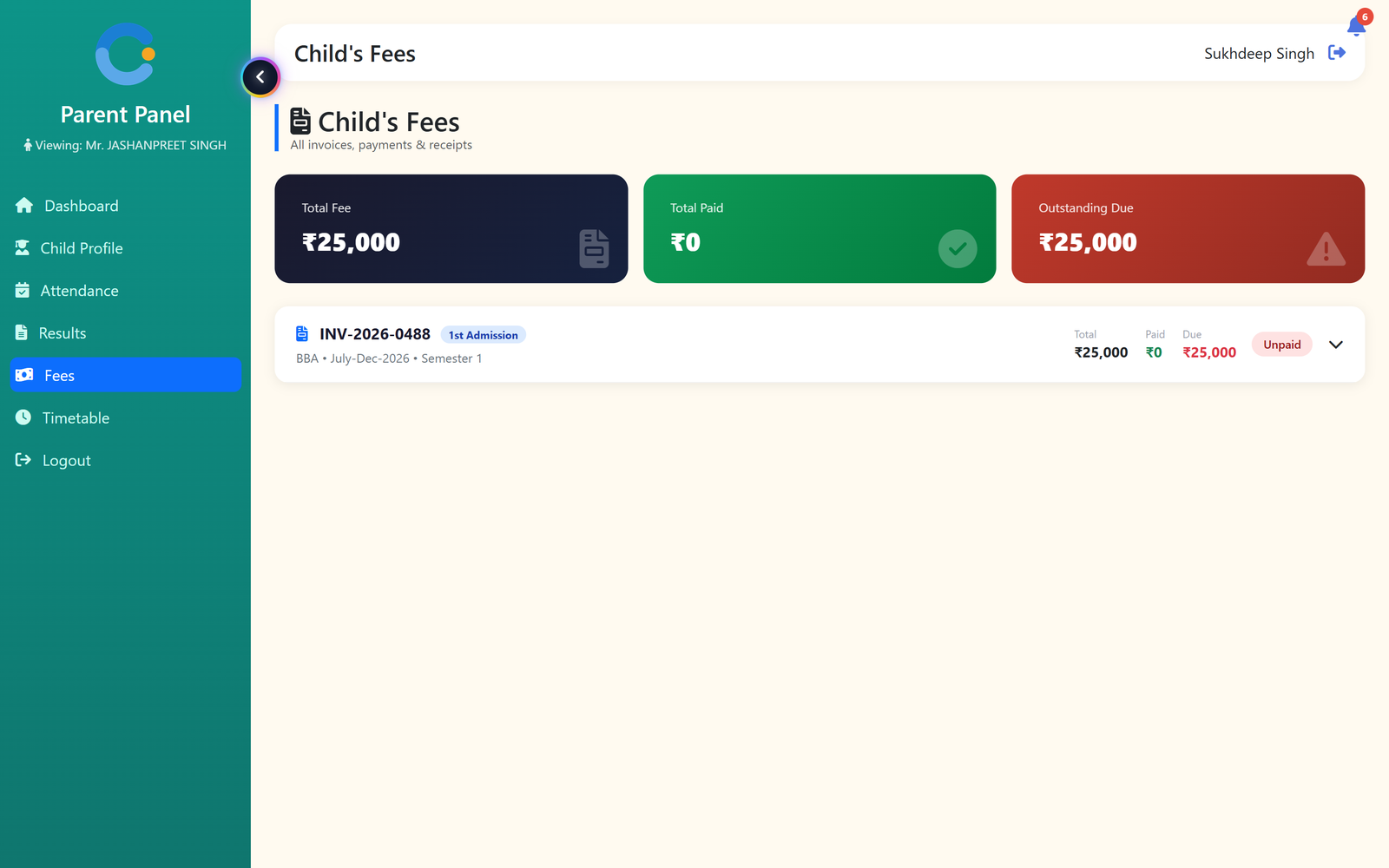
The dashboard shows the pending fee amount. The Fees page lists each invoice with total, paid and due, and every payment with its receipt number.
Results reach parents only at the meeting
Marks, grade and pass or fail appear for each exam as soon as the teacher saves them. The parent can print the report card.
Two children, two logins
A parent with more than one child uses one login and switches between the children from the side menu.
How it works
The parent account is created with the student, so there is no separate setup.
- Enter the parent while admitting the student. Add the parent name, mother's name and email in the student form. A parent account is created and a welcome email with the password is sent. If the email already belongs to a parent, the new child is linked to the same login.
- Parent signs in. The dashboard opens for the first child and shows attendance, academic score, pending fees, notices and the latest results.
- Parent opens the details. Child Profile, Attendance, Results, Fees and Timetable each open the full page for the child being viewed.
- Admin manages parents. The admin adds or edits parents, links children, switches an account on or off and can hide menu items for a parent.
What is included
Who sees what
Parent
Sees only the linked children: attendance, results, fees with receipts, timetable and profile.
Admin / principal
Adds and links parents, switches accounts on or off, hides menu items and checks parent engagement.
Teachers
The attendance they mark and the marks they enter show up in the parent portal. Teachers do not need to send anything.
Accounts office
Invoices raised and payments recorded in the fee module appear on the parent's Fees page with the receipt.
Asked about parent portal
How does a parent get a login?
When the student is added, the parent name and email are entered in the form. A parent account is created and a welcome email with the password is sent. Parents can also be added from the manage parents page.
Can one parent see more than one child?
Yes. If the same parent email is used for brothers and sisters, they are linked to one login. The parent switches between the children from the side menu, and every page shows the child being viewed.
Is there a parent mobile app?
No. Parents use the web portal in a browser. The Android app is for teachers and students.
Can parents pay fees online?
Not at present. Parents see invoices, payments and receipts. Payments are recorded by the institute as cash, cheque, online or demand draft.
Can we see which parents never log in?
Yes, when the parent engagement feature is switched on for the institute. The manage parents page marks each parent as High, Medium or Low from the last login, and a Low parent can be sent a reminder email.
Modules that share the same records
See parent portal running with your institution's name on it.
- A real walkthrough, not a slide deck. We set your institution up while you watch.
- Bring your hardest question. Fees and exam patterns are where most systems fall over.
- No obligation. If it is not right for you, we will say so.
Book a free demo
Tell us about your institution and we will show you exactly how it would run.