
Home›CBSE School ERP
For CBSE, ICSE and state-board schoolsSchool ERP that keeps parents informed and the office off the phone.
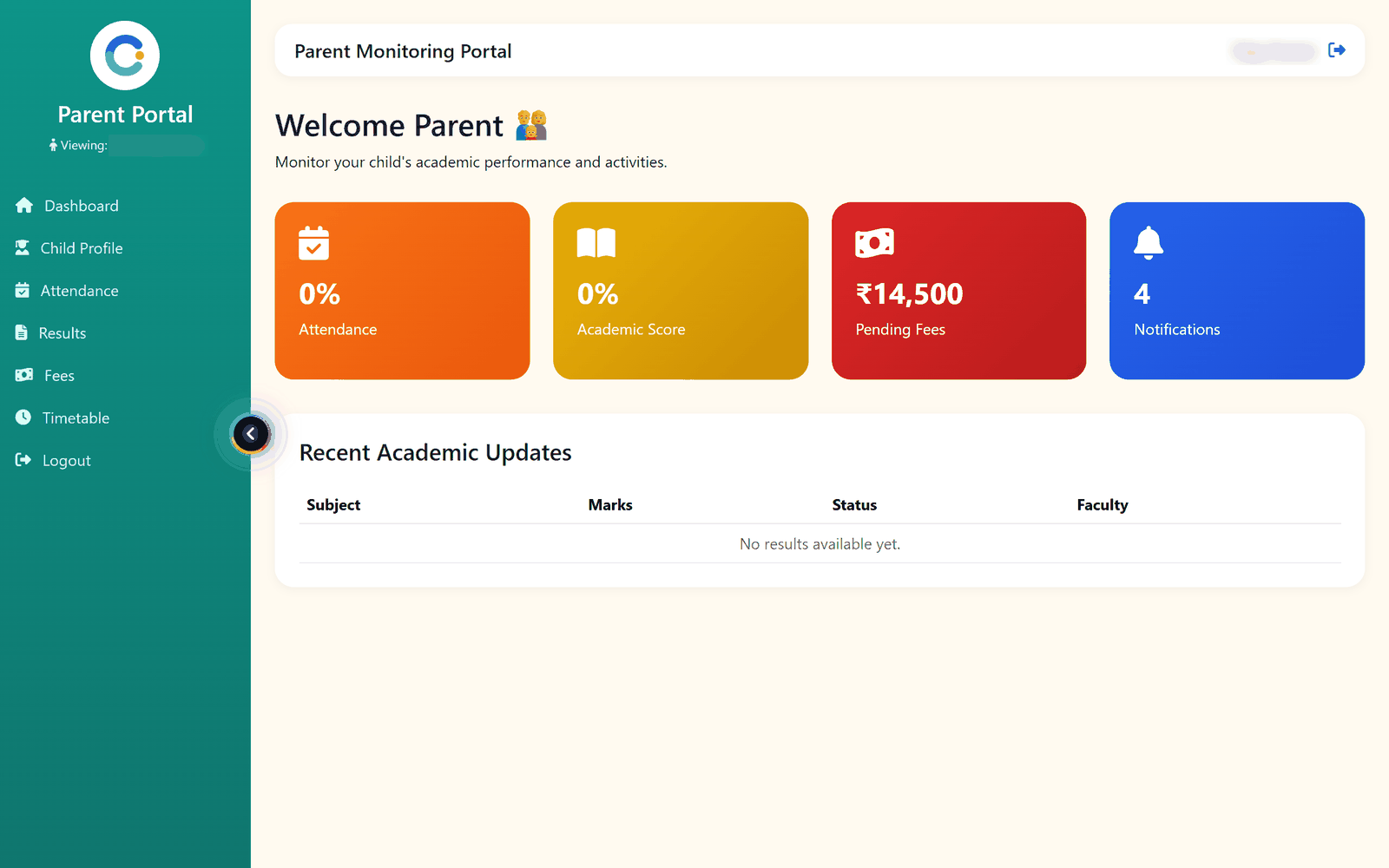
Set up your grades and sections once. After that, attendance, fees, exams, report cards, transport and the library all use the same student record, and parents check their child's attendance, results and fees on their own login.
What takes up a school office's day
Parents calling to ask
Attendance, results, fee dues and receipts are on the parent's own login, so the office answers fewer calls.
Fee dues on paper
Fees are raised as invoices and every payment gets a receipt number. The dues list is always current, and fee reminder emails go out from the system.
Report card season
Teachers enter marks per subject. Grades, pass or fail and the class result sheet follow, and each report card prints from the same data.
Buses without a seat count
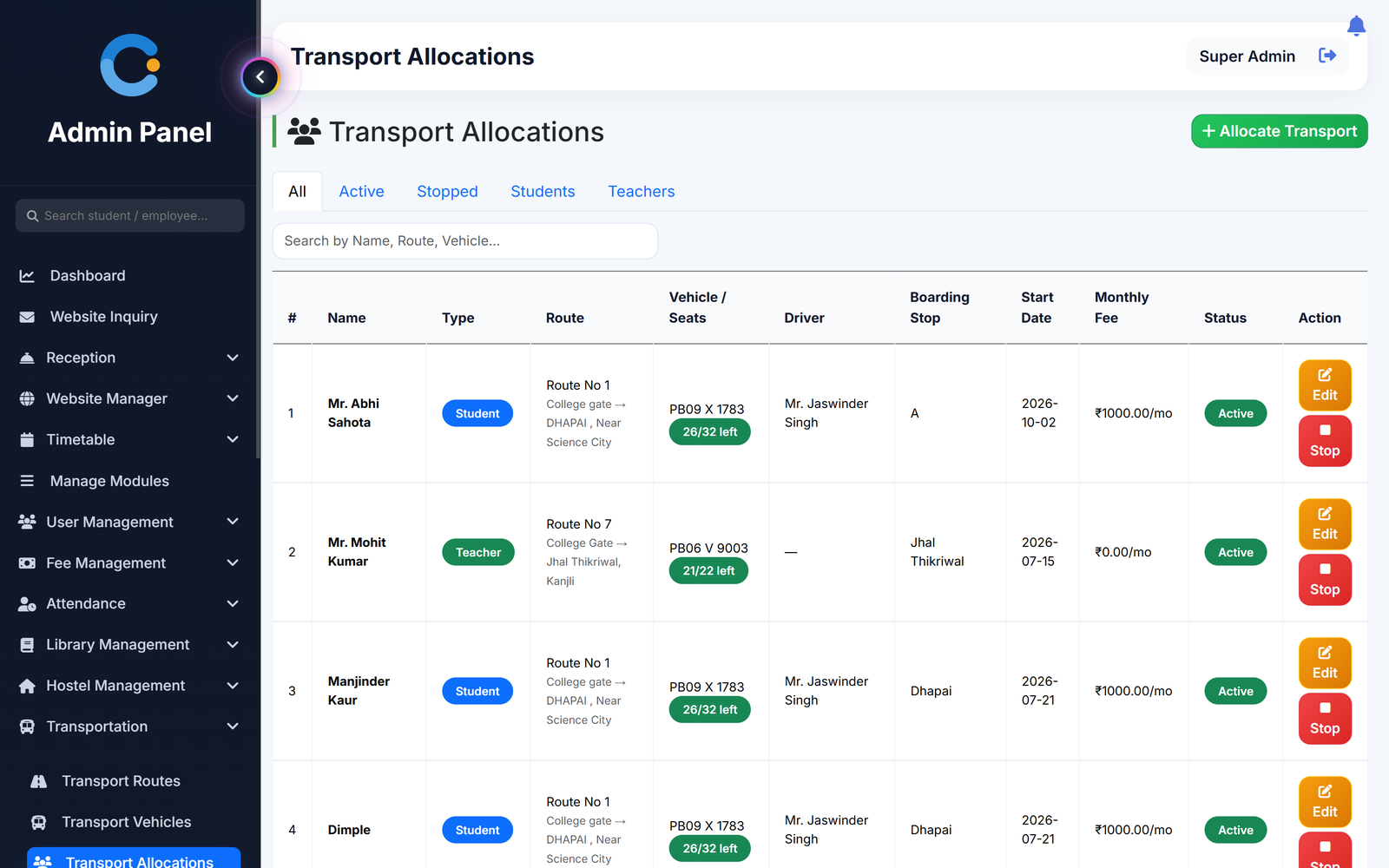
Routes, stops, vehicles and seats left in one place, with the monthly transport charge added to the student's fees.
How a school runs on CampusOS
In school mode the screens say Grades and Sections instead of Courses and Classes.
- Set up grades and sections. Add grades, sections, subjects, periods and teachers. Import your student list from a CSV saved from Excel.
- Admit students with their parents. Each admission creates the parent login and sends a welcome email. Brothers and sisters share one parent login.
- Run the school day. Teachers mark attendance from the timetable and enter marks, on the web or the Android app. The office raises fee invoices and records payments.
- Parents follow along. Parents see attendance, results, fees with receipts and the timetable for each child on the web portal.
What a school gets
Who uses it in a school
Principal
Sees attendance, results and fee dues for the whole school and approves staff leave.
Class teachers
Mark attendance, enter marks and set assignments from the web or the Android app.
Accounts office
Raises fee invoices, records payments, prints receipts and sends reminders.
Parents
Check attendance, results, fees and the timetable for each child on the web portal.
Asked about cbse school erp
Does it work for CBSE, ICSE and state-board schools?
Yes. You set up your own grades, sections, subjects and exams, so it follows your board's structure. It does not have a fixed board-specific report card format.
Is there an app for parents?
Parents use the web portal on their phone browser. The Android app is for teachers and students.
Do parents get an SMS when a child is absent?
Not at present. Parents see the attendance on their portal the same day.
Can parents pay fees online?
Not at present. Parents see invoices and receipts. The office records payments as cash, cheque, online transfer or demand draft.
Can we start with fees and attendance only?
Yes. Switch on the modules you need first and add transport, library and others later.
Modules that share the same records
Parent Portal
One parent login to see the child's attendance, results, fees and timetable, with a switch for more than one child.
Transport
Routes, vehicles and seats, monthly transport fees billed to students and staff, and a bus papers tracker.
Fee management
Fee structure, invoices, receipts, scholarships and a live dues list.
See cbse school erp running with your institution's name on it.
- A real walkthrough, not a slide deck. We set your institution up while you watch.
- Bring your hardest question. Fees and exam patterns are where most systems fall over.
- No obligation. If it is not right for you, we will say so.
Book a free demo
Tell us about your institution and we will show you exactly how it would run.